



























For a creator who wants a page live today, Linktree is still the fastest route. For a brand or team that needs the page on its own domain, with email capture and click data that ties back to what you posted, Mydrop is the better fit. Everything else on this list exists because the decision comes down to three questions people only ask six months in: can I get my data out, does it feed my CRM, and how much upkeep does this page need every week?
TLDR: Pick on export, domain and upkeep, not on templates. Free tools are fine for a link list. The moment the page carries a launch, a list or a client, you want your own domain and real click data.
The 7 best link in bio tools, compared
| Tool | Best for | Own domain | Email capture | Upkeep |
|---|---|---|---|---|
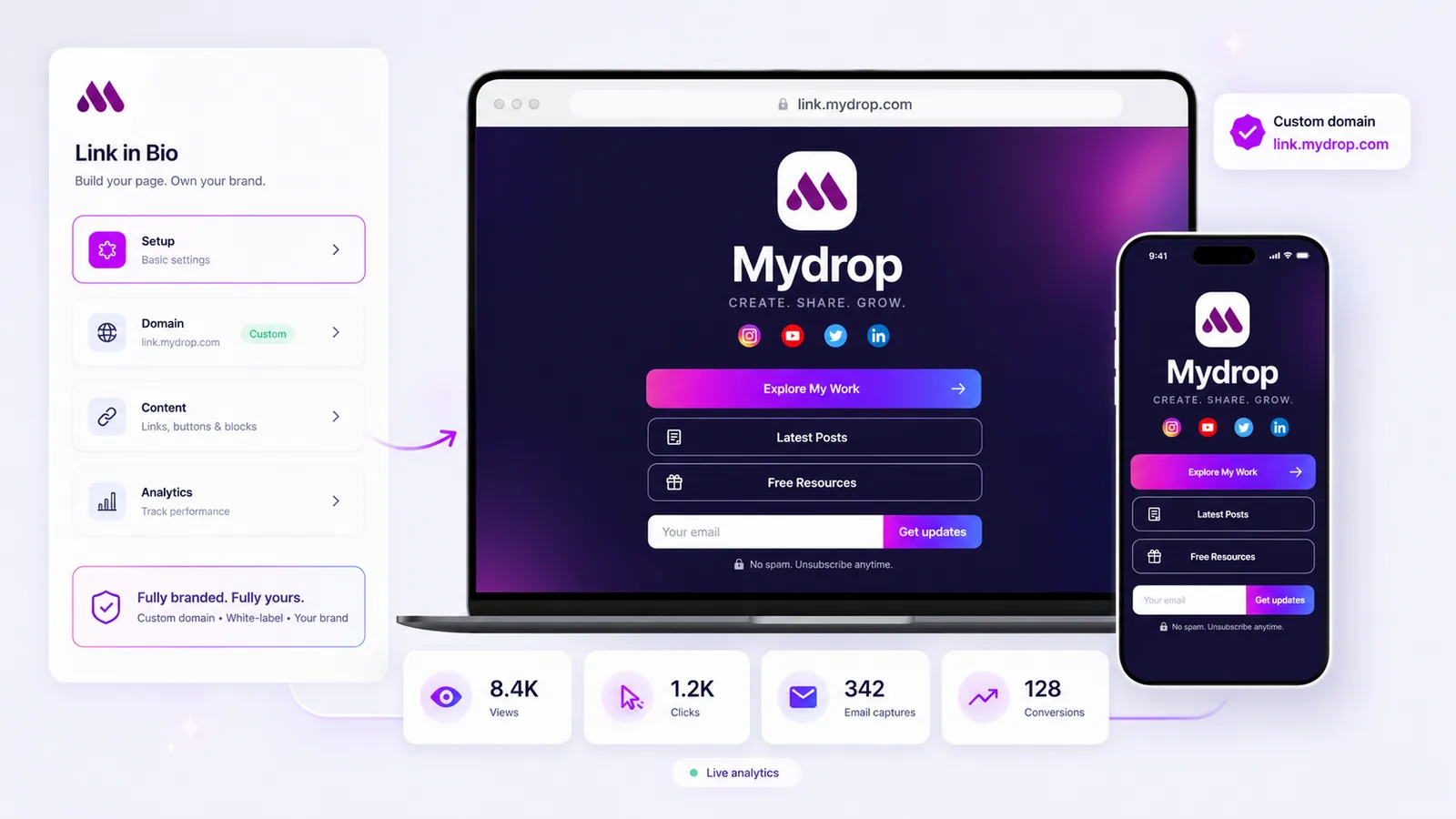
| Mydrop | Brands and teams already scheduling posts | Yes, white label with managed SSL | Yes, with source and UTM | Low, pulls in your recent posts |
| Linktree | Solo creators who want it live in ten minutes | On paid plans | Basic | Manual |
| Beacons | Creators selling small digital products | On paid plans | Yes | Manual |
| Stan Store | Coaches and creators whose page is the storefront | Limited | Yes | Manual |
| Bio.link | A clean free page with no clutter | On paid plans | Basic | Manual |
| Carrd | People who want full design control | Yes | Via third party | Manual, it is a site |
| Milkshake | Phone-only creators building on the go | No | No | Manual |
Mydrop is the pick when the bio page is part of a marketing operation rather than a side artifact. It runs on the brand's own domain, pulls your recent posts and media in automatically, captures emails with the source and UTM attached, and reports views, clicks, captures and conversions next to the rest of your social analytics. Where it does not fit: a creator who does not schedule content anywhere is paying for machinery they will not use.
Linktree is the default for a reason. Free tier, minutes to set up, every integration you can name. Where it does not fit: the analytics stay shallow, and the page is unmistakably a Linktree unless you pay to remove the branding.
Beacons goes further than a link list, with a store, an email tool and a media kit built in. Good for a creator selling a preset pack or a template. Where it does not fit: teams, because there is no meaningful approval or role structure.
Stan Store treats the page as a checkout. If your bio link exists to sell a course or a booking, it is the shortest path from click to payment. Where it does not fit: brands that need the page to do anything other than sell.
Bio.link is the quiet option: fast, clean, generous free tier. Where it does not fit: anything that needs reporting.
Carrd is not a link in bio tool, it is a one-page site builder, and that is the point. Total design control for a few dollars a year. Where it does not fit: you are now maintaining a website, and nobody on the team can update it without you.
Milkshake builds the page from your phone in a few swipes. Where it does not fit: no custom domain, no desktop workflow, no data worth reading.

Can you export your data if you leave a link in bio platform?
Partly, and the part you get back is the part that matters least.
- Links and layout: no. Assume you rebuild the page by hand. It takes an hour, so stop worrying about it.
- Email subscribers: usually yes, as CSV. Check this before you start collecting. A list you cannot export is a list you are renting.
- Click analytics: rarely, and almost never with history. Most tools show you a dashboard and no download. If click data matters, keep it somewhere you control.
- Your domain: only if you brought one. A page on
linktr.ee/yournamecannot move. A page onlinks.yourbrand.comcan be repointed in an afternoon with no broken links anywhere.
The domain is the real lock-in. Use your own from day one and every other migration becomes routine.
Can you sync link in bio signups to your CRM?
Three ways, in order of how well they hold up:
- Native integration with Mailchimp, Klaviyo, ConvertKit or HubSpot. Cleanest, but the list of supported tools is short and fixed.
- Zapier or Make. Works with anything. Costs per task and breaks quietly when a field changes.
- CSV export on a schedule. Fine until you want the follow-up email to go out the same day.
The question worth asking is not whether signups reach the CRM, it is whether the source travels with them. A contact record that says "bio page, TikTok, spring launch" is worth several times one that says "web form". Mydrop passes the source and UTM through with the capture, which is what makes the reporting usable later.
The link in bio tools that need the least maintenance
Every tool on this list is easy to set up. The difference shows up in week six, when the page still points at a campaign that ended.
The lowest-maintenance page is one that feeds itself. If your bio page pulls your latest posts, your newest video and your current featured product from the same place you already publish, it stays current without anyone opening it. That is the argument for running it inside your posting tool rather than beside it, and it is the same argument behind keeping your content calendar and your public page in one system.
If you are using a standalone tool, the practical fix is a recurring 10-minute calendar entry on Monday. Unglamorous, and it works better than good intentions.
Link in bio tools without a monthly subscription
Free tiers that are genuinely usable: Linktree, Beacons, Bio.link and Milkshake. Carrd charges a small annual fee rather than a monthly one, which is the cheapest way to get a fully custom page.
What sits behind the paywall almost everywhere: the custom domain, removing the vendor's branding, and any analytics beyond a click count. If you only need somewhere to put five links, the free tier is the correct answer and you should stop reading here.
Pick by the job, not the template
- Selling one thing to your audience: Stan Store or Beacons.
- Five links, no budget, live today: Linktree or Bio.link.
- Full design control, happy to maintain it: Carrd.
- A brand page on your own domain, with capture and click data, kept current by the content you already publish: Mydrop.
If you are running this for more than one brand, the setup changes shape entirely: see link in bio for agencies for the multi-client version, or team link in bio software if several people need to edit the same page.
Next step: pick the one that matches your job above, then spend the saved hour on the page itself. How to design a link in bio page that converts covers what to put on it once the tool is chosen.


 Google review
 Trustpilot review
 Product Hunt comment




