Agency Collaboration

Link in Bio for Agencies: How to Manage Client Pages

How agencies manage link in bio pages for multiple clients: one account or many, whose domain, who edits, and the best link in bio tool for agency work.

4 min read

Updated: Sep 3, 2026

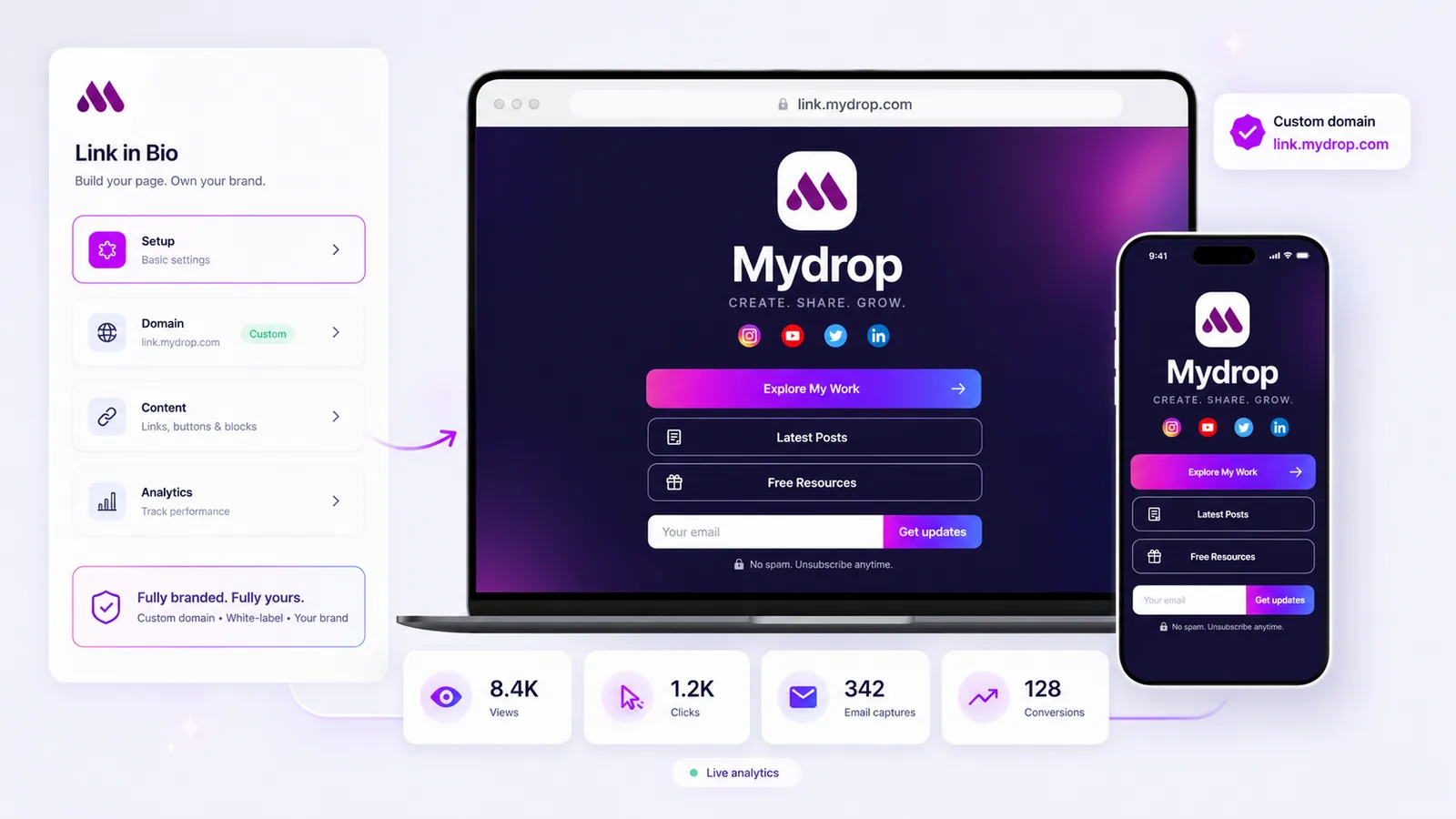
Mydrop Link in Bio feature interface

Agencies manage client bio pages well when the structure is one account, one workspace per client, one subdomain per client, and roles instead of shared passwords. The tool matters less than the structure, but only a few tools support the structure at all. This is what breaks and how to set it up so it does not.

TLDR: Separate logins per client is the setup that fails, usually at offboarding. Put every page on the client's own subdomain, keep them in one account with per-client workspaces, and give the client a report link instead of a monthly screenshot.

How agencies manage link in bio pages for multiple clients

Three patterns, in the order agencies usually discover them.

One free account per client. Fast at two clients. At six you have six passwords in a vault, no idea which pages are current, and no way to answer "what did the bio link do last month" without logging in six times. Something goes stale and nobody notices for weeks.

One paid account, all clients on one page structure. Cheaper, but every editor can see and edit every client. That is a problem the first time a freelancer needs access to one brand only.

One account with a workspace per client. Each client gets its own page, own domain, own editors, own analytics. Team members see only the brands they are assigned to. This is the only version that still works at fifteen clients, and it is why workspaces matter more here than any page-design feature.

Project timeline chart used to plan client campaign links and page updates
Bio pages go stale in the gap between the campaign ending and anyone remembering the page exists.

Whose domain, whose account, whose data

Decide these three before you build the first page. They are cheap to set now and expensive to unwind later.

  • Domain: the client's. links.clientbrand.com, not agency.link/client. It looks like them, it builds their trust rather than yours, and it makes the end of a contract an administrative step instead of an argument.
  • Account ownership: yours during the engagement, transferable at the end. Write the transfer into the scope so nobody discovers the question at the worst moment.
  • Data: exportable, and exported. Get the email captures out on a schedule, into the client's CRM. A list that only exists inside a tool is a liability for both of you.

The white-label version of this matters too. If the page carries a vendor badge, the client sees the vendor, not you and not their own brand. Mydrop publishes on the client's domain with managed SSL and no Mydrop branding on the page.

The client bio page management setup that works

A working setup, per client:

  1. One workspace, named for the client.
  2. One subdomain, connected before anything is designed.
  3. One primary action on the page, matching the campaign that is live now. Everything else is secondary.
  4. Two named editors, one of whom is the reviewer. No shared logins.
  5. An approval step on changes, so a link swap on a Friday afternoon is checked by someone. The same approval workflow you use for posts covers this without teaching a second process.
  6. A review date in the calendar, monthly. Most stale bio pages are not a tooling failure, they are a calendar failure.

What "data driven" actually means here

Agencies get asked for the best link in bio tool for a data-driven marketing team, and the honest answer is that the bar is low: most tools report one page-view number.

What you need to answer a client question:

  • Clicks per destination, so you can say which offer worked.
  • Source and UTM carried through the capture, so a signup can be traced back to the TikTok bio and the campaign that sent it.
  • Captures and conversions, not just visits.
  • A share link for the client, so the report is self-serve.

Put that beside the post performance data and the bio page stops being a separate report nobody opens. It becomes one line in the client's monthly reporting, which is where it belongs.

The tools agencies actually use

  • Mydrop. Multi-brand workspaces, roles, approvals, the client's own domain with managed SSL, white label, per-destination analytics, and the page pulls in the client's recent posts so it stays current on its own. The fit is strongest if you already schedule the client's content in one place. See how it compares across the rest of the market in Mydrop vs Linktree vs Taplink.
  • Linktree. Fine for one client. There is no workspace model, so the third client is where it starts costing you time.
  • Beacons. Creator-first. Good if the client is a creator and sells small digital products; weak on roles and reporting.
  • Carrd. Cheapest way to build a genuinely custom page per client, but you are now maintaining small websites and only one person on the team can update them.

Next step

Pick one client and rebuild their page properly: their subdomain, one primary action, two named editors, a monthly review date. It takes about an hour. Then copy the structure across the rest, and read how to design a link in bio page that converts before you decide what goes on the page itself.

If you run several brands in-house rather than for clients, the same structure applies with different labels: team link in bio software covers that version, and Mydrop for agencies shows the workspace model in full.


FAQ

Quick answers

With one account containing a separate workspace per client, each with its own domain, its own editors and its own analytics. Separate logins per client is the setup that breaks first, usually at offboarding.

One with multi-brand workspaces, roles, white label and per-client analytics. Mydrop covers all four in the same account you already schedule from. Single-seat creator tools like Linktree work for one client and stop scaling around the third.

The client's, always. Use a subdomain such as links.clientbrand.com. It looks like the client, it survives the end of the contract, and it means you never have to explain why their traffic runs through your domain.

Per destination, next to the posts that drove the clicks: views, clicks by link, captures and source. A share link the client can open beats a monthly screenshot, and it removes a recurring task from your team.

If it is on their subdomain and their account owns it, you transfer the workspace and remove your seats. That is a ten-minute offboarding. If it is on your login with a shared password, it is a negotiation.

Next step

Stop coordinating around the work

If your team spends more time chasing approvals, assets, and publish details than creating better posts, the problem is probably not your people. It is the workflow around them. Mydrop brings planning, review, scheduling, and performance into one calmer operating system.

Mydrop Editorial Team

About the author

Mydrop Editorial Team

Mydrop

The Mydrop Editorial Team writes the guides, comparisons, and playbooks on this blog. We cover social media planning, publishing, approvals, analytics, and multi-brand workflows, drawing on how teams actually use Mydrop to run their social programs. Every article is researched, edited, and maintained by the team behind the product.

View all articles by Mydrop Editorial Team

Managing 14+ social platforms felt like a 2 a.m. nightmare until Mydrop. The AI brand-voice mapping is scary accurate, and the client approval portal saved me easily 15 hours this week alone. It's the ultimate set-and-forget workspace for busy agencies.
A true automation tool for scheduling (and creating) social media content! It has saved me over 20 hours of work already in just my first couple weeks. A true game-changer for anyone in business, big or small!
Finally tried Mydrop on a test client and the white-label portal on a custom domain actually looks legit, no Mydrop branding sneaking in. The OAuth setup saved me from the usual “what's my password” back-and-forth.
Absolute game-changer. Mydrop completely automated my content workflow. The scheduling is flawless, it actually feels intuitive, and it saved me 10+ hours in my very first week. Best decision I've made for my socials!
Mydrop AI has been an absolute game changer, it has saved me so much time and effort. It does what it promises. Easy to use, versatile, and the creator is really open to feedback. Very happy!
I was looking through a bunch of management tools for my client, as it was getting out of control; after comparing every solution, I found Mydrop to be a no brainer.
This app helps me more than any other I have ever used. I've got all of my pages and accounts and I can drag and drop like I want. Mydrop has really been a huge asset to my business!
I was looking for a scheduling tool as my clients were using more and more platforms. Mydrop does the job very well, and automations and forms are very useful and save me a lot of time. I recommend!
Love that you baked in white-label portals from day one, that's a huge pain point for agencies.
Love this platform for scheduling social media posts! Easy and very intuitive to use! Highly recommend!
Very nice tool, you will save a lot of time. Very easy to use, user friendly. I have used it for several months and it is very helpful.
Helpful app if you are trying to streamline social content creation for clients.
Managing 14+ social platforms felt like a 2 a.m. nightmare until Mydrop. The AI brand-voice mapping is scary accurate, and the client approval portal saved me easily 15 hours this week alone. It's the ultimate set-and-forget workspace for busy agencies.
A true automation tool for scheduling (and creating) social media content! It has saved me over 20 hours of work already in just my first couple weeks. A true game-changer for anyone in business, big or small!
Finally tried Mydrop on a test client and the white-label portal on a custom domain actually looks legit, no Mydrop branding sneaking in. The OAuth setup saved me from the usual “what's my password” back-and-forth.
Absolute game-changer. Mydrop completely automated my content workflow. The scheduling is flawless, it actually feels intuitive, and it saved me 10+ hours in my very first week. Best decision I've made for my socials!
Mydrop AI has been an absolute game changer, it has saved me so much time and effort. It does what it promises. Easy to use, versatile, and the creator is really open to feedback. Very happy!
I was looking through a bunch of management tools for my client, as it was getting out of control; after comparing every solution, I found Mydrop to be a no brainer.
This app helps me more than any other I have ever used. I've got all of my pages and accounts and I can drag and drop like I want. Mydrop has really been a huge asset to my business!
I was looking for a scheduling tool as my clients were using more and more platforms. Mydrop does the job very well, and automations and forms are very useful and save me a lot of time. I recommend!
Love that you baked in white-label portals from day one, that's a huge pain point for agencies.
Love this platform for scheduling social media posts! Easy and very intuitive to use! Highly recommend!
Very nice tool, you will save a lot of time. Very easy to use, user friendly. I have used it for several months and it is very helpful.
Helpful app if you are trying to streamline social content creation for clients.
Smiling social media managerSmiling social media managerSmiling social media managerSmiling social media managerSmiling social media managerSmiling social media manager

4.8/5 · on Trustpilot & Google