


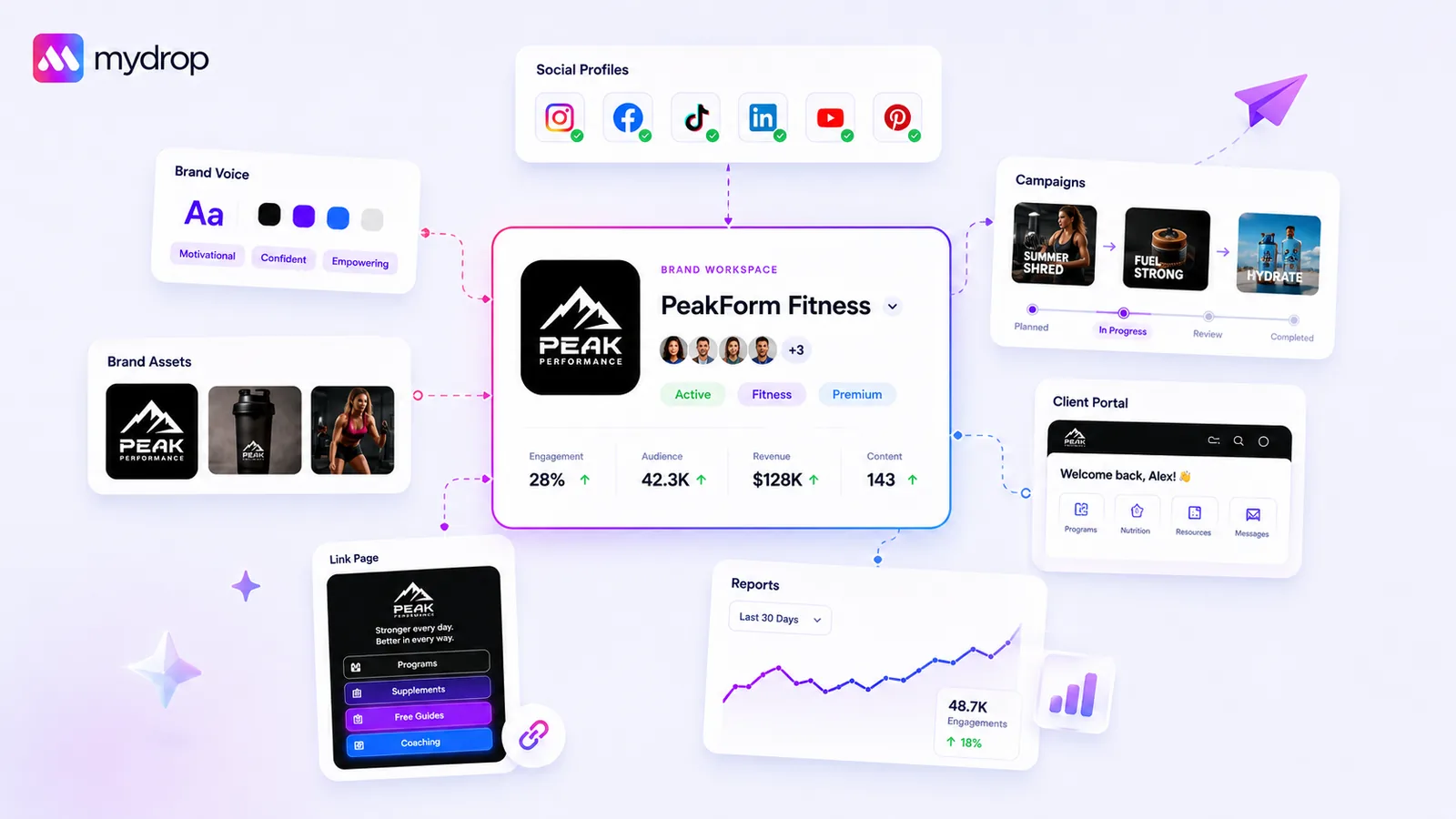
You should centralize your brand assets the moment your team spends more than a few minutes searching for a file, checking a HEX code, or asking a manager for the right tone-of-voice guide. If your creative talent is hunting for _final_v2_FINAL.jpg instead of building, you have already hit the wall. Centralization is not just about tidiness; it is the only way to kill the invisible coordination debt that makes every campaign feel like a scavenger hunt.
We have all been there. You start with a few folders that make sense, then you launch a new campaign, add a region, or onboard a new agency, and suddenly the "official" identity is split between a Slack thread, an outdated Google Drive, and a local download folder. It is not a failure of character; it is a failure of your tooling to keep pace with your team's growth. The good news is that solving this usually takes less time than the next three hours you were planning to spend chasing down assets.
The operating problem this solves

Most teams do not have a content problem. They have a coordination bottleneck. Every time a creator or social manager has to verify an asset or re-learn a brand's visual constraints, your velocity drops. You are essentially paying a "coordination tax" on every single post.
This tax compounds. When you multiply those minutes by the number of profiles and campaigns you run, it adds up to hours of lost productivity every week. If you have to manually map colors, logos, and fonts to a new profile every time you launch a campaign, you are not scaling; you are just repeating manual labor.
At Mydrop, we often see teams try to fix this by creating more complex folder structures or longer spreadsheets. But adding more folders to a graveyard of files does not help-it just makes the graveyard harder to navigate.
The real issue is that your brand identity remains static and detached from your publishing tools. To fix this, you need a living, breathing Brand Group where the identity-the palette, the logos, the tone-is hard-wired into the platform where the work actually happens.
Think of the difference this way:
| Feature | Legacy Folder System | Mydrop Brand Group |
|---|---|---|
| Asset Access | Manual search in external drives | Instant access in Composer/AI |
| Identity Sync | Manual check (HEX codes/Fonts) | Automated (One-source application) |
| Profile Logic | Isolated channel setup | Grouped by parent brand |
| Update Cost | Refresh all files everywhere | Update once, apply everywhere |
When the identity is integrated, you stop managing files and start managing campaigns. If you have to re-configure a brand for a profile, stop. That is a sign your system is broken. Instead, define your brand once in a central group, and let the platform do the heavy lifting of distributing those assets to your profiles. That shift from "manual asset management" to "systemic brand governance" is exactly where the velocity gains live.
The minimum system that works

The secret to scaling isn't a complex folder architecture that mimics your legal department. It is creating a singular source of truth for each brand identity that acts as the starting point for everything your team touches.
You are aiming for a setup where any contributor-from a full-time lead to a contractor working their first week-can pull the correct logo, primary font, and color palette without pinging a manager. At Mydrop, we see the most successful teams treat their brand setup as a living dashboard. When you group profiles into a Brand Group, you aren't just cleaning up a list; you are giving your AI tools, publishing flows, and analytics dashboards a common language.
If you are setting this up today, follow this simple checklist to ensure your system is lean enough to actually use:
| Component | Essential Action | Why it works |
|---|---|---|
| Asset Pool | Consolidate core files in one folder | Stops the "final_v2" search loop. |
| Visual Identity | Pin your primary HEX codes | Ensures 100% brand parity across channels. |
| Profile Grouping | Bind accounts to one brand record | Enables bulk campaigns and shared reporting. |
| Contextual Data | Fill in your audience/tone/goals | Gives your AI assistant instant brand awareness. |
Operator rule: If an asset doesn't need to be accessed by more than one team member to do their job, it doesn't belong in the core brand repository. Keep the clutter out so the critical stuff stays visible.
Where teams overbuild the process
The most common trap we see in enterprise marketing is the "over-engineered hierarchy." Teams spend weeks building nested folder structures-Region > Product Line > Campaign > Channel > Asset Type-that require a map and compass to navigate.
This is where the coordination debt really starts to bite. When a system is too rigid, humans inevitably find the path of least resistance: they download assets to their desktop, re-save them, and start a new, disconnected thread in Slack. You have effectively created a shadow filing system that no one can audit or govern.
Avoid these common friction points:
- The "Everything" Folder: Do not upload every creative variation ever produced. Only store the approved, "ready-to-publish" versions.
- Approval Gatekeeper Bottlenecks: Don't build a system that requires a manager to "unlock" an asset. Use permission-based access so the right people have the right tools from the start.
- Static Documentation: If your brand guidelines live in a 40-page PDF that never gets updated, your team will stop looking at it. Keep your tone, hashtags, and CTA guidance in the same dashboard where you manage your profiles and media.
Most teams do not have a content problem. They have a decision bottleneck. Every minute spent manually mapping HEX codes or confirming if a logo is the 2025 version is a minute taken away from actual strategy. If you find your team constantly re-verifying the basics, you have built a system for robots, not for the people trying to move fast in the real world.
How to run the cadence
Establishing a source of truth is not a one-time project. It is a maintenance habit. You need to treat your Brand Group settings as a living dashboard that gets as much attention as your actual content calendar. If the team starts drifting back to local desktop folders to find logos, your central system is already effectively dead.
To keep it alive, build a weekly or bi-weekly Asset Health Check into your existing team syncs. This is the moment to verify that new campaign assets have made it into the system and that retired colors or outdated logos have been pruned.
Decision check: If a brand asset takes more than 30 seconds to find, it does not exist.
Here is a simple checklist to keep your brand ecosystem from sliding back into chaos:
| Task | Frequency | Success Criteria |
|---|---|---|
| Asset Audit | Bi-weekly | No duplicate files in mediaDocIds; all logos are current. |
| Context Sync | Monthly | groupInfos fields (tone, mission, hashtags) match the current campaign goals. |
| Palette Review | Quarterly | HEX codes in the platform match the latest brand design documentation. |
| Profile Cleanup | Monthly | All active social channels are linked to the correct brand container. |
At Mydrop, we often see teams assign a "Brand Captain" from the creative side-not just a manager-to own this. This person has the authority to delete "temp" files that shouldn't be there and the visibility to ensure the AI content generation tools are pulling from the most recent, approved media.
The proof that the habit is working
You will know you have successfully offloaded the coordination debt when your team stops talking about the process and starts talking about the work. When you remove the friction of hunting for assets, you reclaim hours of mental bandwidth.
The most reliable indicator is your Creative Lead Time. Before centralization, you might have spent 40 minutes on asset gathering for every 60-minute creative task. Once your assets are centralized and accessible, that gathering time should consistently drop toward zero. If your team is no longer asking "Where is the final file?" in Slack or email, you have won.
Another sign is the quality of your automated output. If your publishing tools and AI assistants are consistently using the right brand tone and colors, it means your configuration is stable. It means your "Brand Intelligence"-those specific target audience and marketing goal fields-is doing the heavy lifting it was designed for.
Conclusion
Most marketing teams do not actually have a creative problem. They have a decision bottleneck. You are likely capable of producing more, better work, but you are currently paying a "coordination tax" for every post that goes live.
Centralizing your brand assets into a unified group is the fastest way to give your team back their time. Start by auditing your current mess, build the minimum system that covers your most-used assets, and then treat the maintenance of that system as a core part of your team's rhythm. Once you stop wasting energy on where the files are, you can finally put that energy into the campaigns themselves. Your brand identity is a tool, not a scavenger hunt. Treat it like one.



 Google review
 Trustpilot review
 Product Hunt comment




