


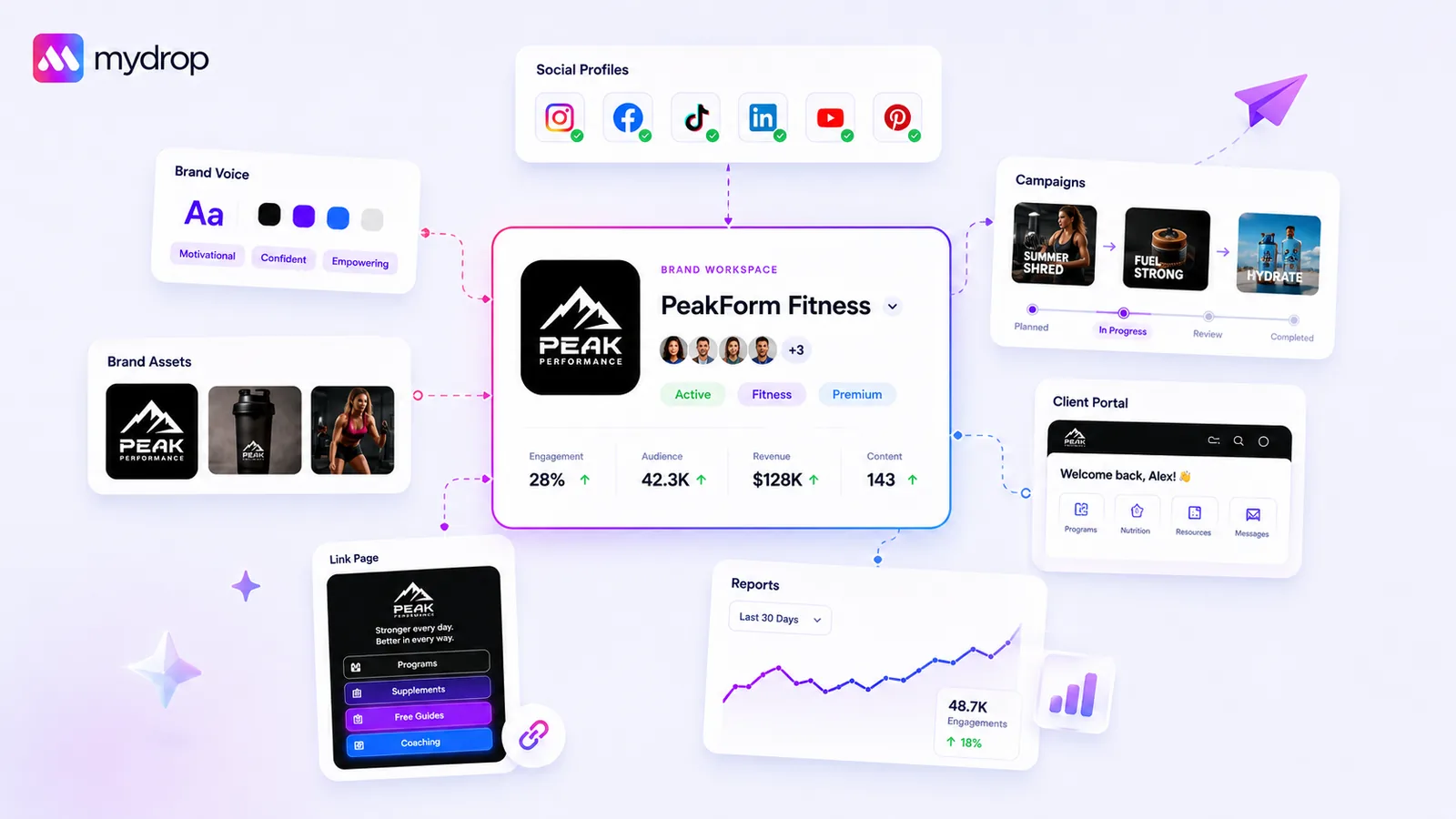
Onboarding a new client should be an automated extraction process, not a manual scavenger hunt. Abandon disconnected profile management and pivot to a 'Brand Group' approach. This centralizes your brand identity-colors, assets, and tone-into one repository, allowing your publishing tools and AI to reference them instantly. By centering onboarding around the brand entity rather than individual social channels, you collapse the time between contract signature and your first successful post. We have all been there: the excitement of a new client, followed by the soul-crushing reality of gathering logins and re-typing hex codes into documents that are outdated by Tuesday. That asset tax is bleeding your agency profitability, and it is entirely preventable with the right structure.
What the best tools need to handle

When you are managing dozens of brands across hundreds of channels, your tooling must treat 'Brand' as a first-class object, not just a label. If your software treats a brand as a folder name for profile aggregation, you are going to hit a wall.
The best tools in this space should handle these core requirements:
- Dynamic Brand Grouping: You need the ability to bundle profiles-Instagram, LinkedIn, X, TikTok-under a single Brand Group. When you add or remove a channel, the brand intelligence (assets, tone, audience) should remain intact and instantly available.
- Automated Asset Extraction: Stop manual entry. Great onboarding tools automatically pull brand assets-logos, color palettes, fonts-directly from a client website. This eliminates human error and ensures consistency across every post.
- Structured Brand Intelligence: Publishing tools are only as good as the context they have. You need fields to store activity sectors, target audiences, marketing goals, and tone-of-voice guidelines that are directly accessible to AI and content teams.
- Unified Source of Truth: A 'stale client cache' is a compliance risk. Your platform must ensure that when you update a logo or color palette in the Brand Group, that change propagates instantly across your AI generators, link-in-bio pages, and report dashboards.
At Mydrop, we see teams fail when they treat onboarding as an admin task rather than a technical integration. If your onboarding tool is just a checklist, you are missing the point. You are looking for a system that locks in the brand intelligence before the first post is even drafted. If your platform requires you to reconnect every profile or manually upload the logo to every new campaign, you are doing it wrong. Your onboarding should be the foundation for everything that follows-automation, reporting, and AI-driven content generation.
Where basic tools start to break

Most teams treat social onboarding like a disjointed collection of logins. You add a Facebook page here, an Instagram account there, and maybe a LinkedIn profile later. It feels efficient for five minutes until you actually need to post. Then the scavenger hunt begins.
Basic tools treat profiles as isolated endpoints. They do not understand that all these accounts belong to one entity. This lack of structure creates "coordination debt" the moment you start working. You end up with fragmented brand context, where one team member is using a blue shade from a Q1 campaign and another is using the wrong font from a Google Drive folder no one can find.
This is where the "stale client cache" nightmare begins. You update a brand asset-like a new logo or a refined color palette-but the publishing tool does not know. Your team keeps pulling the old versions because the system does not have a single source of truth for the brand, only for the connection. The more profiles you manage, the faster this breaks. If your tool does not group these assets under a master brand identity, you are just managing a chaotic list of passwords.
The buying criteria that matter
Stop buying "account aggregation" and start buying "Brand Groups." When evaluating your next tool, look for the ability to lock your client’s identity-colors, fonts, media, and voice-directly into the workflow.
Here is the scorecard we use to evaluate if a tool can handle enterprise-scale onboarding.
Client Onboarding Capability Scorecard
| Criteria | Basic Tool (Manual/Fragmented) | Brand-Centric Platform |
|---|---|---|
| Profile Grouping | Independent profiles | Linked profiles under one "Brand" |
| Asset Management | Local uploads per post | Centralized brand media library |
| Brand Intelligence | Text notes in a Google Doc | Structured fields (goals, tone, AI prompts) |
| Setup Time | Days (chasing files) | Hours (automated website import) |
| Governance | High risk (human error) | Low risk (centralized settings) |
Evaluation Rule: If you cannot set a brand font or hex code once and have it auto-suggested every time someone opens the composer, you are still doing manual labor.
Operator rule: Do not settle for a tool that asks you to re-type a hex code. If your tool requires a manual "style guide" document for your team to check against, it is failing the basic requirement of a modern publishing platform.
Beyond just colors, look for "AI-readable" brand intelligence. Can you plug in your client's target audience, marketing goals, and tone? Will the tool use those to guide the AI assistant? If the tool cannot "read" the brand, your AI is just guessing.
In our experience at Mydrop, we see teams fail not because they lack creativity, but because they lack coordination. When a client hands over a website, a good tool should be able to scan that URL, extract the primary colors, identify the logo, and drop them into a usable brand folder in under sixty seconds. That is the threshold for a profitable agency. If it takes longer, you are losing money on the setup, not the execution.
When you demo a tool, do not just ask if it connects to Twitter. Ask: "If I change a brand asset here, does it update across every campaign and link-in-bio page immediately?" If they say no, walk away.
How Mydrop supports this workflow
At Mydrop, we designed the Brand Group architecture precisely because we were tired of watching agencies and internal teams lose hours chasing down brand guidelines, hex codes, and logos after the ink was dry on a contract. Onboarding shouldn't be a digital scavenger hunt. When you centralize a client's presence, you shouldn't just be aggregating logins; you should be building a single source of truth.
When you start a new engagement, you create a Brand Group. This is where Mydrop acts as your operational anchor. You drop in the client website URL, and our website importer pulls the brand identity, extracts the color palette, and organizes the asset library automatically. This saves your team from the manual grunt work of re-typing hex codes or hunting for the right logo file.
Once that identity is locked in, the entire platform shifts to support the workflow. Your publishing, AI-content generation, and reporting tools instantly reference these saved colors, fonts, and assets. We also handle the "stale client cache" issue that plagues manual setups. When you update a logo or a brand voice guidance inside the Brand Group, it ripples across your active campaigns immediately. You are never left wondering if the team is using the legacy logo or the updated one because the platform enforces the latest version across the board.
Decision check: If your team spends more than ten minutes "gathering assets" for a new client, you have already started the project with technical debt.
A simple shortlist checklist
To move from "collecting files" to "executing strategy," follow this 30-day client launch checklist. The goal is to move from manual admin tasks to a unified brand posture as quickly as possible.
| Milestone | Activity | Owner | Status |
|---|---|---|---|
| Day 1-5 | Initialize Brand Group, input website, run color extraction. | Account Lead | [ ] |
| Day 6-10 | Map social profiles to the Brand Group, confirm admin access. | Tech Lead | [ ] |
| Day 11-15 | Input brand intelligence (tone, goals, target audience, hashtags). | Strategy Lead | [ ] |
| Day 16-20 | Upload core media assets (logos, video templates, brand fonts). | Creative Lead | [ ] |
| Day 21-25 | Build and test the Link-in-Bio and initial Campaign assets. | Account Lead | [ ] |
| Day 26-30 | Run internal AI-content preview based on new brand context. | Strategy Lead | [ ] |
Following this structure ensures that by the time you sit down to write the first post, the technical foundation is already working for you.
Conclusion
The bottleneck in most agency onboarding isn't a lack of creativity or a slow client; it is the friction of fragmented information. If your team has to manually copy-paste brand guidelines into five different tools every time a new client signs, you aren't just wasting time, you are actively inviting errors into your workflow.
The most successful teams we work with stop treating social onboarding as a collection of logins. They treat it as a technical setup phase, prioritizing the creation of a structured Brand Group before a single post is drafted. This shift might feel like extra work during the first week, but it pays massive dividends by removing the coordination tax on every single post that follows. The ultimate goal isn't just to get the first post published, but to eliminate the coordination debt that makes every subsequent campaign feel like a fire drill. If your structure is sound on Day 1, the creative freedom you gain by Day 30 is the real differentiator.

 Google review
 Trustpilot review
 Product Hunt comment




