

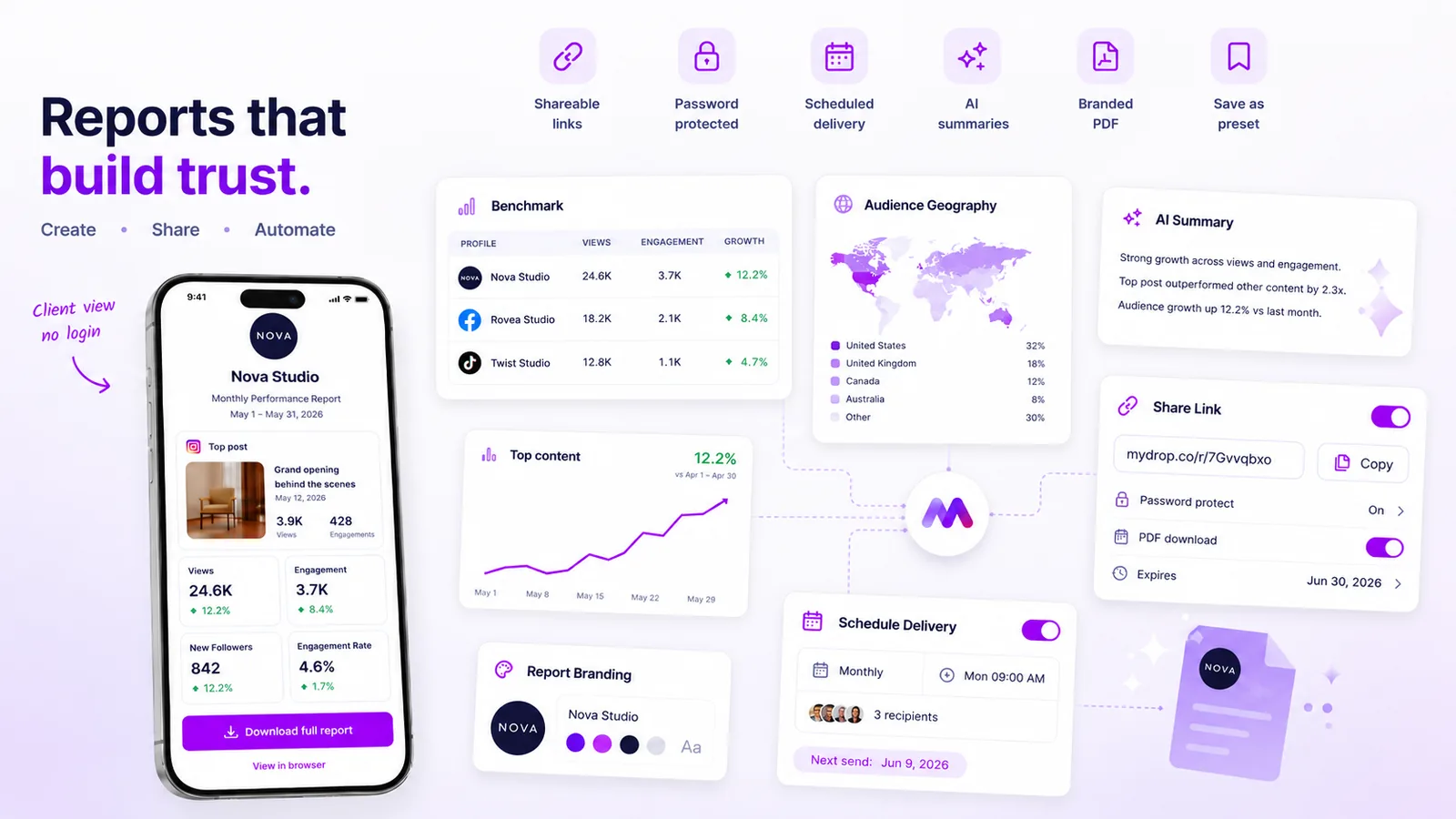
Agencies stop scaling the moment account managers start manually copy-pasting charts into spreadsheets. The best automated reporting tools do not just schedule a PDF delivery; they turn your data into a reliable, branded client communication channel that requires zero manual intervention after the initial setup.
We know the feeling of the Friday afternoon scramble, racing to screenshot dashboards and format findings before the weekend hits. It is exhausting, error-prone, and a complete misuse of your team’s expertise. When you transition to a fully automated reporting workflow, you stop being a data processor and start being the strategic partner your clients hired you to be. Consistency builds trust, and automated delivery ensures that trust is earned, not just hoped for, every single week.
What the best tools need to handle

When you manage dozens of client accounts across various platforms, "good enough" reporting tools break under the weight of your operations. An agency-grade solution must prioritize more than just delivery; it needs to act as an extension of your brand’s standards.
| Requirement | Why it matters | Agency Impact |
|---|---|---|
| Configuration Snapshots | Preserves report settings so future runs remain accurate. | Eliminates manual re-setup errors. |
| Flexible Recurrence | Daily, weekly, and monthly options to match client cycles. | Sets clear, predictable expectations. |
| Failure Alerts | Immediate notification if data cannot be retrieved. | Proactive communication instead of silent failure. |
| Multi-Format Delivery | Options for PDF, public link, or app link access. | Meets client preference for data consumption. |
The real challenge in enterprise reporting is maintaining consistency across different team members. If every account manager has their own way of building a report, your client experience is fragmented. The best tools force standardization. By using report templates that save your specific branding and metric configurations, you ensure that even if you bring on five new clients tomorrow, their reports will look exactly like your existing ones.
Furthermore, pay close attention to how a tool handles the "life after send." A robust scheduler does not just push an email; it provides a trail of run history and status updates. If a schedule fails because of an API issue or a data gap-which, in our experience, happens more often than anyone likes to admit-you need to know instantly. You do not want to be the last one to know your report did not land.
At Mydrop, we see teams that treat reporting as a chore, which is exactly why it fails. When you offload the logistics to a reliable automation engine, you are not just saving time; you are creating a predictable, high-value cadence that keeps your clients satisfied and your team focused on strategy, not screenshots.
Where basic tools start to break

Here is the awkward truth: most reporting tools are built for solo creators, not for an agency managing thirty different brand identities across four regions. When you move from managing one account to thirty, the "simple scheduler" you started with turns into a major operational liability.
The breaking point usually happens when you try to customize a report for a high-priority client. Basic tools often rely on live-querying data every time a report runs. If you change a profile category, update a metric definition, or add a platform integration midway through the month, your automated report suddenly changes its structure without warning.
Suddenly, the client receives a report that looks completely different from the one they received last week. They panic. You spend your morning explaining that the data is actually better, despite the confusion.
Basic schedulers fail because they lack configuration snapshots. They treat a report as a fleeting query rather than a durable document. If the underlying data configuration drifts, the report breaks. An agency-grade tool must preserve the "intent" of the report-which metrics were selected, how they were filtered, and how they were branded-even when your team makes changes elsewhere in the platform.
The buying criteria that matter
When evaluating reporting platforms, look past the shiny dashboard previews. You need a tool that treats automated delivery as a production-grade pipeline, not just a "send email" button.
Use this scorecard to distinguish between tools that will scale with your agency and those that will eventually require you to return to manual spreadsheets.
Automated Reporting Scorecard
| Criterion | What to look for | Why it matters |
|---|---|---|
| Config Persistence | Saves report state as a snapshot (not just a live query). | Prevents data drift when you update profile tags or metrics. |
| Delivery Flexibility | Supports branded PDFs, secure public links, and direct app access. | Meets diverse client security and review preferences. |
| Failure Visibility | Logs every attempt and proactively emails you on failure. | Saves you from explaining missing reports to angry clients. |
| Operational Control | "Run-now" triggers and easy pause/resume toggles. | Allows you to test, troubleshoot, and pause reporting during crises. |
| Client Segregation | Strict control over who receives what. | Prevents sensitive brand data from leaking across clients. |
Operator rule: If a tool doesn't explicitly guarantee that a scheduled report will look exactly the same as your saved configuration, assume it will break at the worst possible time.
In our experience, teams managing hundreds of profiles do not have a "data" problem; they have a coordination debt problem. The best reporting workflow is one that stays invisible until the client opens their inbox. If you are constantly monitoring whether a tool actually sent the report, you have already lost the efficiency gains you bought the tool for in the first place.
When you look for your next platform, ignore the marketing claims about "advanced analytics" for a moment. Ask them instead: "When I schedule a report, what specifically happens when my internal data configuration changes, and how do I know if an automated run fails while I am on vacation?" The answers to those two questions will tell you everything you need to know about whether the tool can handle your agency's scale.
How Mydrop supports this workflow
At Mydrop, we built our Analytics Scheduler around a simple belief: if you are still manually exporting CSVs to prove your value on a Friday afternoon, you are not scaling, you are just surviving. We have seen hundreds of teams managing thousands of social profiles, and the ones that actually dominate their niche are not the ones with the most time-they are the ones with the best automation habits.
Mydrop bridges the gap between raw data and client trust by turning your report configuration into a persistent config snapshot. When you set up a report-defining your brand colors, selecting the specific metrics that actually matter to your client, and choosing your delivery cadence-Mydrop locks that in. Whether you choose daily, weekly, or monthly delivery, that configuration persists. You do not have to worry about a "stale" report because the system knows exactly which setup you saved, even if you later update your internal dashboards for different client needs.
For those moments when a client asks for a status update out of nowhere, you do not have to build it from scratch. You can trigger a run-now command, generating and sending the report in seconds, or use the dashboard to quickly pause a schedule if a client engagement is currently paused or undergoing a rebranding pivot. If something goes wrong-perhaps an external platform API hiccuped-Mydrop automatically records the failure and alerts you, so you can address it before your client ever notices a missing email.
A simple shortlist checklist
Before you commit to a reporting tool, run your current options through this scorecard. If your top choice misses more than two of these, you are just buying yourself a different kind of spreadsheet manual labor.
| Feature Check | Why it Matters |
|---|---|
| Config Snapshots | Ensures the report setup you built today is exactly what the client gets next month. |
| Multi-Cadence Control | Needs to handle daily, weekly, and monthly intervals without manual resets. |
| Fail-Safe Alerting | Automated email notifications for failed runs so you stay ahead of client questions. |
| Delivery Flexibility | Options for secure public links, PDF attachments, and deep-links back to the app. |
| Lifecycle Management | Easy pause/resume controls that respect the client’s current campaign status. |
Decision check: If your reporting tool requires an account manager to log in and "manually refresh" or "re-save" a schedule every quarter, your tool is just a more expensive spreadsheet.
Conclusion
The transition to automated reporting is rarely about the tech-it is about deciding that your agency’s time is too valuable to spend on copy-pasting charts. When you move from "manual labor" to "automated oversight," you do not just save hours; you shift the client relationship. You move from being the person who sends the data to the partner who interprets it.
Start by identifying the one client report you dread building the most. Build that template in a robust system once, set the cadence, and let it handle the heavy lifting. Your team will have their Fridays back, and your clients will finally get the consistent, reliable insights they deserve. Trust the machine to handle the data, so you can get back to the strategy.
 Google review
 Trustpilot review




