


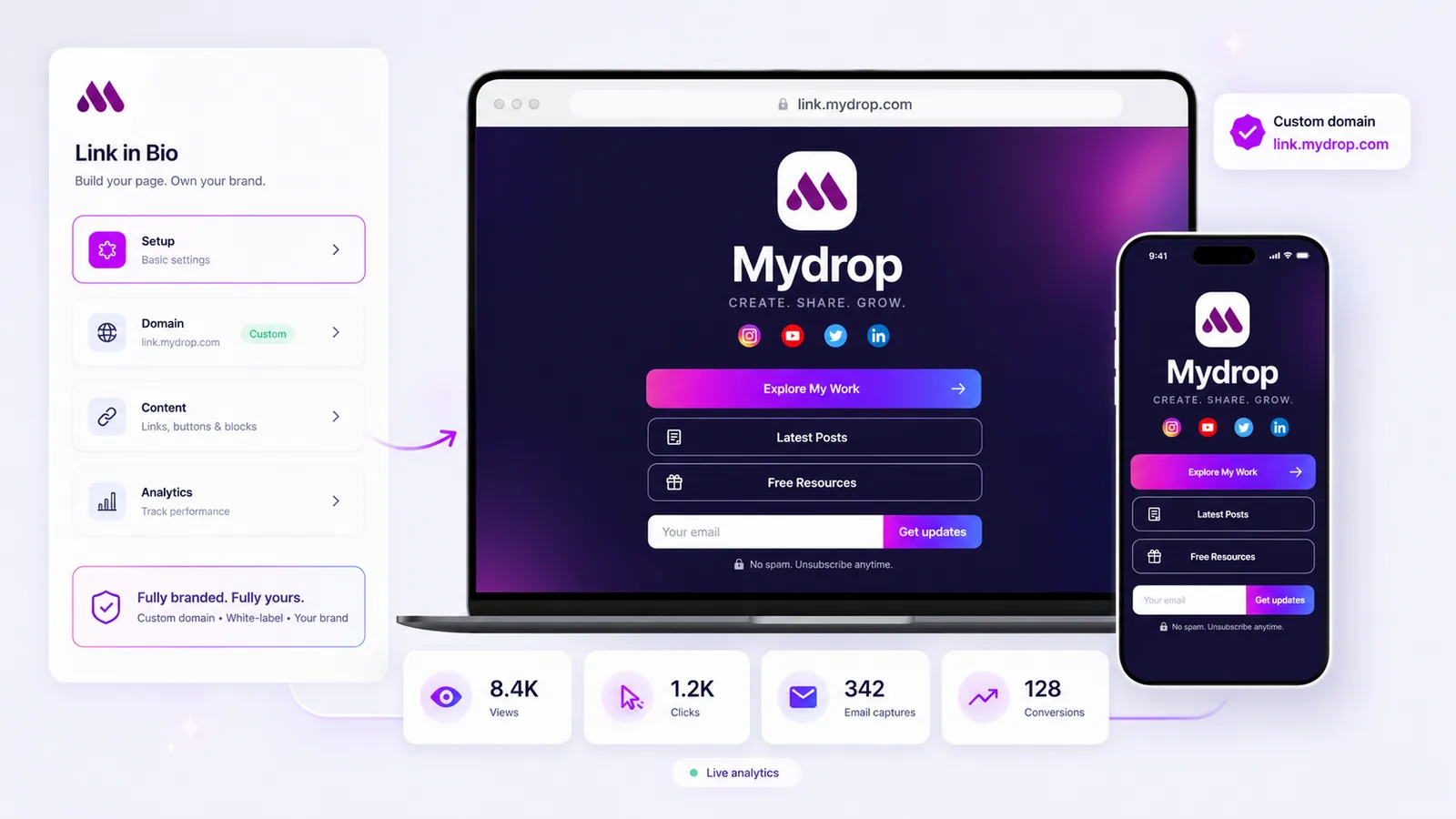
The best link-in-bio tool for enterprise isn't the one with the most pre-built templates, but the one that treats every click like a top-of-funnel conversion event by offering seamless CRM sync, validated lead capture, and granular attribution tracking. If your current tool is just a static list of links, it isn't supporting your strategy-it’s actively leaking qualified leads.
We get it: you’re managing complex brand portfolios across a dozen social channels. Watching qualified enterprise leads dead-end on a static page of buttons, with zero ability to capture their intent, is frankly painful. It feels like throwing money away in broad daylight. You need a landing surface that either drives a direct conversion, like a lead capture form or a gated file download, or acts as a high-fidelity trackable bridge to a deeper funnel. Anything else is just friction.
What the best tools need to handle

Enterprise-grade isn't about how many flashy animations a page supports; it's about data integrity, security, and the ability to route traffic to the right stakeholder immediately. When you are managing hundreds of profiles and dozens of stakeholders, you cannot afford to have a link page that feels like a standalone toy. It has to be a functional, integrated piece of your marketing infrastructure.
The best tools bridge the gap between social engagement and structured data. Here is what that looks like in practice versus the standard vanity-first approach.
| Capability | Vanity-First Approach | Conversion-First Mandate |
|---|---|---|
| Lead Capture | None, or basic email collection | Validated forms synced to CRM/webhooks |
| Data Ownership | Platform-locked metrics | Full attribution, UTM support, event tracking |
| Branding | Fixed templates | Custom domains, HTML/CSS for brand parity |
| Asset Distribution | Simple link redirection | Gated, tracked file downloads |
At Mydrop, we see teams fail when they treat the bio page as a static digital business card. The real danger is the loss of visibility. If a visitor clicks a high-value link, you need to know who they are, where they came from, and what they intend to do next. If you cannot extract that data to fuel your downstream nurturing, you’re missing the point of the channel entirely. A truly capable tool should feel like an extension of your website, not a leaky bucket you hope people click through. Most teams do not have a content problem; they have a decision bottleneck where they settle for "good enough" tools that don't talk to the rest of their stack.
Where basic tools start to break

Here is the awkward truth: if your link-in-bio tool is nothing more than a list of buttons, you are losing leads every single hour. Consumer-grade platforms are built for aesthetics, not for the realities of an enterprise sales funnel. When your high-intent visitors click through, they often hit a wall because the tool cannot bridge the gap between social engagement and CRM entry.
The breakage happens in three predictable places. First, the data leak. Without granular UTM attribution or webhooks, you have no visibility into which post or which brand profile actually drove the conversion. You see a click count, but you have no idea who the person is or what they wanted. Second, the integration dead-end. If your team has to manually export CSVs from a dashboard to feed your sales team, your lead response time is already DOA. Third, the governance gap. Most basic tools offer zero support for branded custom domains or secure, compliant lead capture forms, which is a non-starter for any team that values security.
At Mydrop, we often see teams trying to bridge these gaps with complex, multi-step landing pages that actually reduce conversion. They try to patch together a dozen different tools because their primary landing surface is too weak to hold the weight of their workflow.
Common pitfall: Using a vanity-first tool for conversion. If you cannot capture a lead directly on the page without redirecting the user to a generic third-party form, you are introducing too much friction for enterprise-grade acquisition.
The buying criteria that matter
Stop evaluating tools based on the number of pre-built templates or the novelty of their fonts. Instead, treat your link-in-bio tool as a critical piece of your sales infrastructure. You need a platform that treats every interaction as a measurable data point.
Use this scorecard to pressure-test your current provider. Any tool that fails the majority of these criteria should be considered a temporary solution, not an enterprise standard.
| Pillar | Enterprise Requirement | Why it matters |
|---|---|---|
| Form Flexibility | Native, embeddable lead-capture blocks. | Eliminates redirect friction; keeps user on-branded surface. |
| Data Validation | Server-side email and field validation. | Ensures the data hitting your CRM is clean and actionable. |
| Integrations | Direct Webhooks, CRM API connectivity. | Automates lead routing; removes manual export labor. |
| Domain Control | Full branded custom domain support. | Maintains brand equity; improves trust and tracking fidelity. |
| Attribution | Granular UTM and conversion tracking. | Connects social intent directly to lead source and ROI. |
The operator's checklist for evaluation
When you are reviewing a new candidate, ask these three questions. If the answer to any of them is "we don't do that" or "we only do that on our pro tier," keep looking.
- Can we route leads differently per brand? Agencies and multi-brand companies need the ability to map incoming leads to specific CRM queues. If all your links dump into one big bucket, your team will spend hours manually sorting through noise.
- Is the conversion surface secure? Can you host file downloads or media kits that require email authentication before access? This is essential for high-value content distribution where you need to track who is actually engaging with your assets.
- Does the analytics dashboard allow for conversion-event filtering? You do not need more vanity metrics. You need to see, in real-time, how many visitors became qualified leads and which specific buttons or content blocks pushed them over the edge.
The ultimate measure of success for this landing surface is simple: does it act as a bridge, or does it act as a wall? A truly enterprise-grade tool removes the barriers between your social audience and your sales funnel. Everything else is just expensive wallpaper.
How Mydrop supports this workflow
We built Mydrop with the realization that managing a link-in-bio for one brand is easy, but managing it for a portfolio of fifty brands with different agency teams, compliance requirements, and conversion goals is a nightmare of coordination. You do not need another designer-first tool that just makes your brand colors look nice. You need a conversion engine.
At Mydrop, we see teams struggle with the same core problem: they have thousands of clicks, but zero path from that click to their CRM. When you build your link page as a white-labeled branded destination, you stop treating it like a glorified button list and start treating it like a landing page. You can drop in an email capture block right where the audience is already engaged, or you can gate high-value assets-like your media kits or white papers-behind a simple lead capture form.
This changes the dynamic. Instead of just driving traffic, you are actually routing visitors to the right stage of the funnel. You can assign these pages to custom domains, keep your branding perfectly consistent across all your social properties, and get the exact same conversion tracking you would expect from any enterprise landing page. If a visitor clicks a button or downloads a file, you know about it. When you have hundreds of brand profiles to manage, having this data integrated into one reporting layer is the difference between guessing what works and knowing how to scale.
A simple shortlist checklist
Before you sign a contract with a link-in-bio provider, run them through this scorecard. If they fail three of these five, they are a vanity-first tool and will not support your enterprise goals.
| Feature | Why it matters for enterprise |
|---|---|
| Custom Domain Ownership | Using a platform-provided URL makes your brand look small and creates a dependency on their infrastructure. |
| Validated Lead Capture | Does it block spam and verify email formats, or is it just a raw data dump? |
| CRM / Webhook Sync | Can you send leads directly to Salesforce or HubSpot without manual CSV exports? |
| Conversion Event Tracking | Can you distinguish between a casual click, a high-value download, and an email submission? |
| Brand Grouping & Assets | Can you manage permissions and themes across hundreds of brands without losing consistency? |
If you are ready to audit your current setup, start here:
- Map your lead flow: Pick one high-traffic brand profile and trace what happens when someone clicks. If the trail goes cold, that is your first priority.
- Verify the conversion data: If you cannot see a conversion event (a form submit or a specific click) in your dashboard, you do not have a conversion tool.
- Check your governance: Are your brand managers able to update these links without breaking the site or bypassing brand standards?
- Confirm the domain: If you cannot point your own domain to the page, you have already lost control of the visitor journey.
Conclusion
The biggest mistake we see in social marketing is treating link-in-bio pages as afterthoughts. They are not afterthoughts. They are the final gate in your top-of-funnel strategy. When thousands of people are clicking through from social channels every day, you cannot afford to have those visitors hitting a dead-end, unoptimized static page.
Your goal should be to bridge the gap between social engagement and CRM intelligence. Whether you are using Mydrop or building your own internal solution, prioritize tools that treat your link-in-bio as a functional conversion surface. The technology exists to capture, track, and route these leads automatically. The only thing standing in your way is an outdated definition of what a link-in-bio page is actually supposed to do. Make the shift, track the results, and stop wasting your highest-value traffic.



 Google review
 Trustpilot review
 Product Hunt comment




