


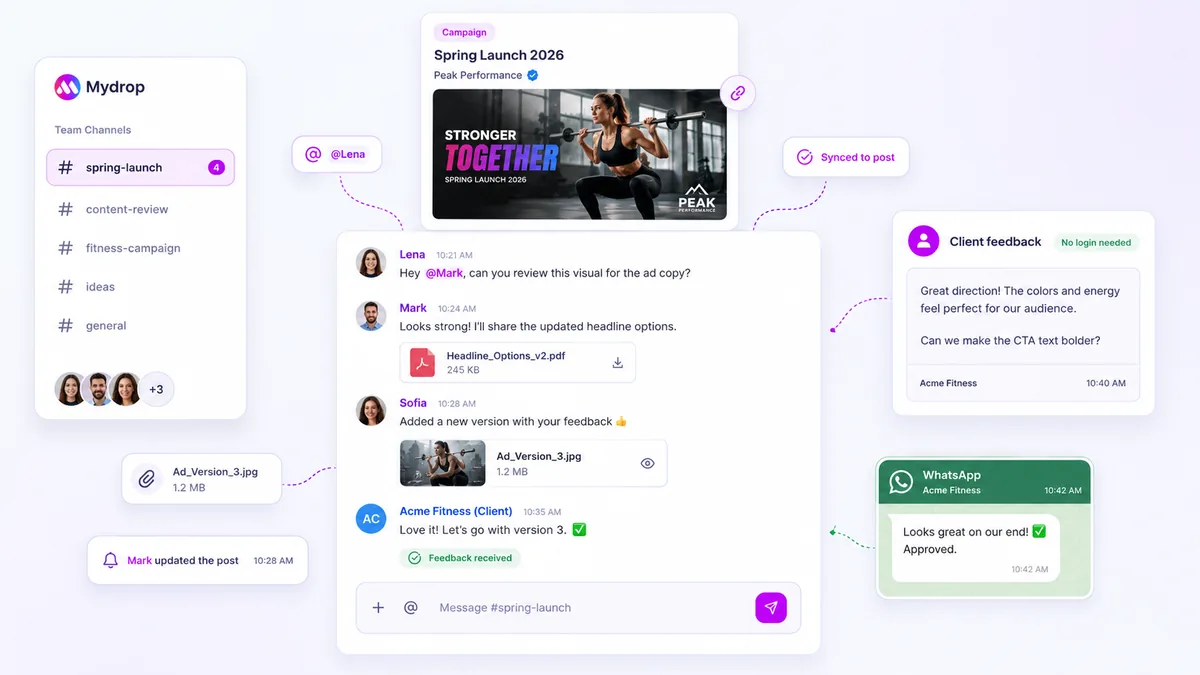
Stop relying on your inbox as an idea warehouse. If you want to stop losing high-potential creative sparks, you must move them out of private threads and anchor them directly to your team’s production schedule. Every time a clever concept gets buried under a stack of marketing reports or logistics updates, your team pays a hidden price in lost context and re-work. You aren't lazy, and your team isn't losing its creative edge; your current tools simply force you to treat fleeting inspiration like a permanent filing cabinet.
We have all been there. It is 5:00 p.m. on a Friday, and you remember a brilliant campaign hook someone mentioned in a thread three weeks ago. You spend twenty minutes hunting through search results, only to find the core intent stripped away by a chain of logistics emails. The frustration isn't the work itself; it's the realization that the moment has passed and the energy is gone. This is a common pattern across large-scale social operations, where volume often masks the fact that your best assets are leaking out of the pipeline before they even reach the calendar.
Where the handoff is actually breaking

The breakdown almost always happens at the point of capture. Because email and chat are designed for immediate, transactional communication, they are inherently hostile to long-term creative planning.
When an idea arrives in your inbox, it is effectively orphaned. It lacks the metadata of production: it has no assigned date, no visual anchor, and no clear connection to the brand profiles it is intended for. The sender might be brilliant, but unless that thought is immediately moved into a shared, persistent workspace, it becomes just another item in a queue that prioritizes urgency over quality.
Here is how the "In-Flight Fallacy" manifest in most teams:
| Failure Mode | Why It Kills Momentum | The Consequence |
|---|---|---|
| Search Friction | You cannot filter by creative intent. | Ideas are ignored to save time. |
| Context Strip | Emails lose original attachments/links. | Designers have to guess the goal. |
| Notification Noise | High-value thoughts are drowned out. | Stakeholders miss the signal. |
When we see teams managing dozens of brand profiles and hundreds of posts, we notice a clear divide. The teams that consistently deliver high-quality content aren't necessarily the most creative; they are the most disciplined about centralization. They have stopped asking their people to "remember to look" in their inbox and started building habits where ideas are surfaced where the actual work happens.
Operator rule: If a creative concept lives only in a thread, it is not an idea-it is an obligation you haven't realized yet.
This is where a dedicated workspace habit, like using integrated Notes, changes the game. By capturing a thought in a space that links directly to your calendar or home board, you stop treating it as a stray message and start treating it as a project asset. The goal isn't just to store text; it is to keep the spark visible right next to the deadlines that actually matter.
The coordination debt checklist

Most of the time, the chaos you feel isn't because your team lacks ideas; it's because you are paying a high premium to find them later. We call this the reclamation tax. It happens whenever a creative spark is locked in a long, winding email thread, hidden behind a subject line that made sense on Tuesday but is a mystery by Friday.
If you aren't sure if your current workflow is leaking value, run this quick audit. If you check more than two of these, your creative momentum is almost certainly suffering.
| Indicator | Signal | Impact |
|---|---|---|
| Search Time | You spend >5 minutes finding an idea. | High (Creative flow is lost) |
| Context Loss | The original inspiration is stripped away. | High (Idea loses its edge) |
| Thread Depth | The note is buried in a 10+ reply chain. | Medium (Action is delayed) |
| Duplicate Work | The team pitches an idea someone already had. | High (Wasted resources) |
| Visibility | Only people on the thread know the idea. | High (Collaboration stalls) |
Decision check: If an idea requires more than two clicks to find, it is effectively invisible to the person tasked with producing it.
How to move decisions closer to the work
To stop the leak, you have to break the habit of using your inbox as an idea warehouse. The goal is to anchor your creative triggers directly where your team actually spends their day: the production calendar.
We have found that teams managing hundreds of brand profiles thrive when they adopt a proximity-first mindset. When you see a potential angle or a cool format tweak, don't hit reply. Instead, move that thought into a dedicated, lightweight space that lives alongside your publishing dates.
At Mydrop, we built Notes specifically for this transition. Think of them as high-visibility sticky notes that sit right on your planning board.
- Capture in context. Instead of writing an email, you open a new note directly from the calendar or the home dashboard. The note isn't trapped in a thread; it’s anchored to a specific timeframe or project.
- Surface the spark. When your social media manager opens their morning view, they don't have to hunt through folders. Your notes are already there, ready to be converted into a draft, discarded, or shared.
- Permission-gated collaboration. Since these are workspace-integrated, you control who sees what. You avoid the "all-reply" disaster while keeping the right stakeholders in the loop.
This isn't just about saving seconds; it’s about shifting the team's behavior. When you move decisions away from private conversations and into a shared, visual space, you replace scattered noise with a living library of your team's best creative work.
Proximity is the only way to protect your creative energy. If an idea isn't visible where you build, it might as well not exist. Stop trusting your inbox to hold onto your future content, and start anchoring your best thoughts where they can actually be put to use.
The roles and rules that reduce rework
The best teams treat their internal communication with the same rigor they apply to their external social posts. If your team treats every channel as an "everything" bucket, your most valuable concepts will continue to vanish into the abyss of unread notifications.
To stop this cycle, you need to assign clear ownership and establish behavioral boundaries. When everyone is responsible for everything, no one is responsible for keeping the creative pipeline clean.
Workflow check: Define a single source of truth for active creative sparks. If an idea isn't in the shared workspace, it effectively does not exist.
We suggest a simple division of labor for your team:
- The Curator: A rotating role for a team member who spends 10 minutes a day moving "stray" ideas from chat/email into the centralized workspace notes.
- The Requester: Everyone else on the team is responsible for capturing their own thoughts in a note the moment they arise, rather than hitting "send" in a private thread.
If an idea is worth discussing, it is worth anchoring. By using Mydrop Notes, you can tether these fleeting thoughts directly to your production calendar. This ensures that when the team meets for planning, they aren't scanning through months of email archives; they are reviewing a living, visual board of pre-vetted concepts. It turns a chaotic scavenger hunt into a high-speed production sync.
The weekly habit that keeps the system honest
Systems only fail when you stop auditing them. The most successful teams we support don't rely on willpower; they rely on a recurring 30-minute workspace hygiene session.
Treat this like a professional deadline. Block it on the team calendar every Friday. If you don't make the time to reconcile your notes, you are implicitly deciding that losing your best ideas is an acceptable cost of doing business.
The Friday Idea Reconciliation Checklist
| Task | Objective | Success Metric |
|---|---|---|
| Inbox Sweep | Clear the week's saved URLs and email drafts. | Zero "to-process" emails in the creative folder. |
| Note Triage | Move rough notes into the production calendar. | Each note is either assigned or archived. |
| Theme Check | Review pinned notes for visual consistency. | All active ideas have a status or priority theme. |
| Ghost Removal | Delete ideas that lost relevance or momentum. | Only actionable creative sparks remain. |
This isn't about being bureaucratic. It is about clearing the mental and digital clutter so that next Monday, your team can start creating instead of searching. When you move an idea from a dusty thread into a persistent note on your home dashboard, you aren't just saving text; you are protecting your team's most finite resource: creative momentum.
Conclusion
The difference between a frantic team and a high-performance one isn't the number of ideas they generate; it is the infrastructure they use to preserve them. You already have the talent. You already have the volume of concepts. What you are missing is the final mile of execution-the moment where a brilliant, informal thought gets anchored in a place where it can actually be built, polished, and published.
Stop asking your team to hunt for their own best work in a graveyard of archived threads. Shift the energy from searching for ideas to refining them. When you make your workspace the center of gravity, you reclaim the hours previously lost to digital clutter. The result is not just a faster workflow; it is a team that actually feels in control of its output.



 Google review
 Trustpilot review
 Product Hunt comment




