


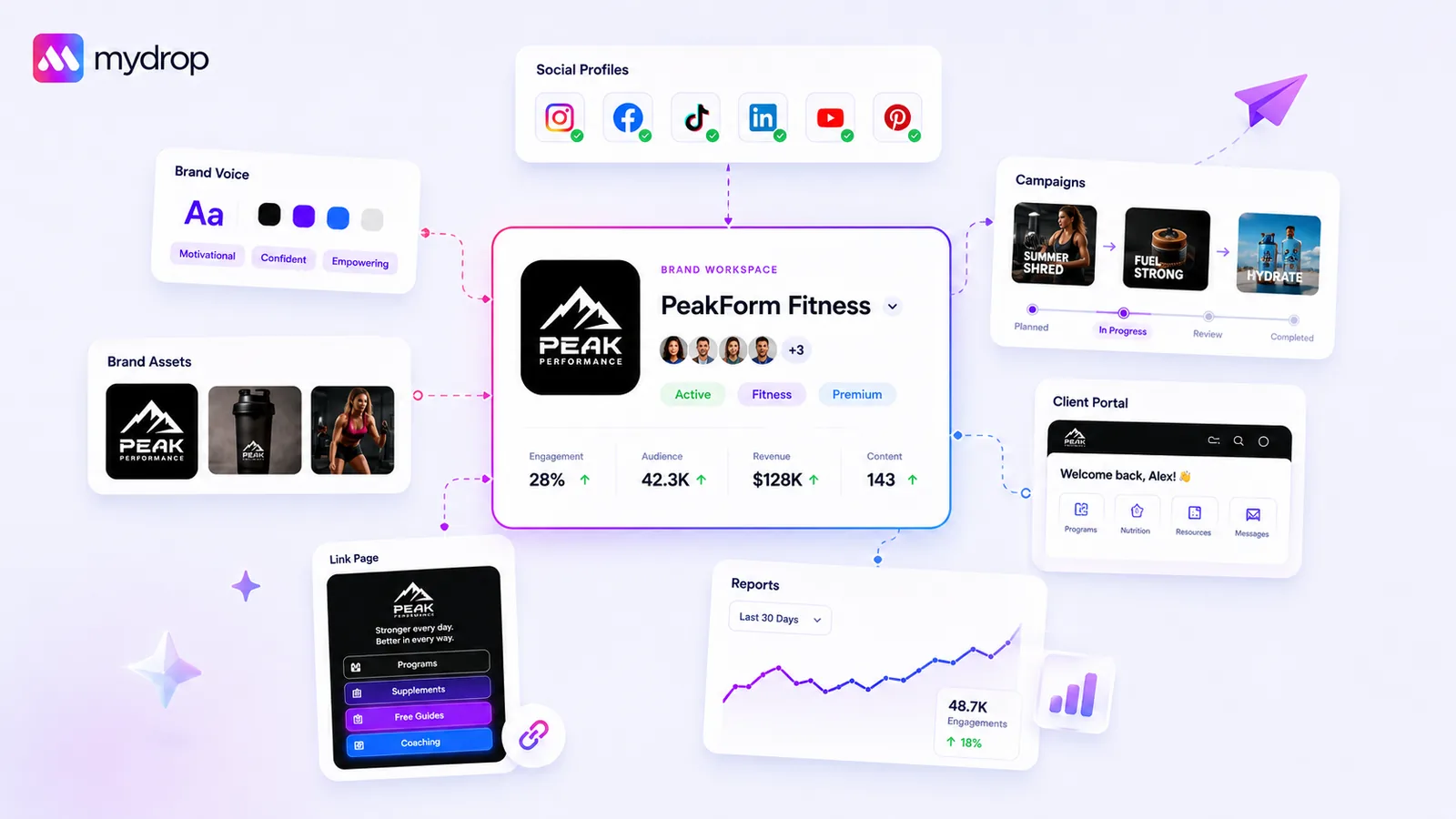
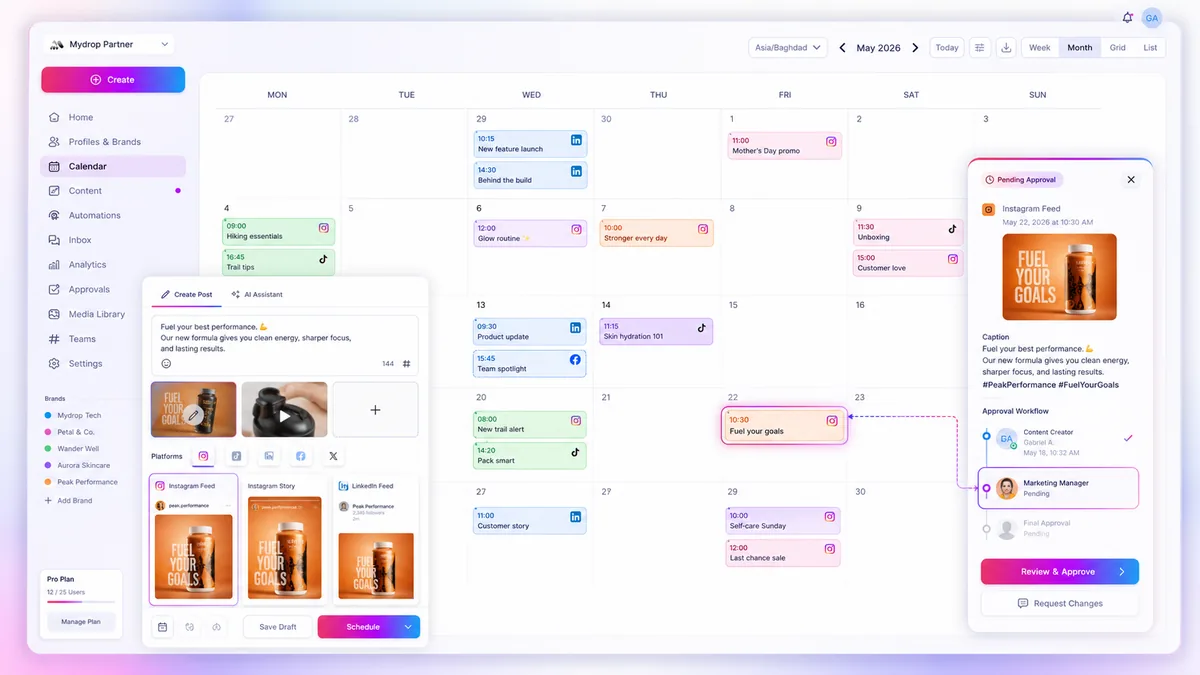
Stop scrolling through a global list of hundreds of profiles to find the one you need. If your team is running a high-stakes campaign, Brand Lock should be the default state for their session, not an occasional convenience. By restricting the Mydrop workspace to only the relevant brands for the current sprint, you eliminate the cognitive tax of scanning unrelated data and the very real risk of posting to the wrong channel.
We get it. Managing dozens of client profiles while trying to maintain brand voice for a single campaign is a recipe for high-stress errors and "post-to-the-wrong-page" anxiety. It is exhausting to constantly perform a mental audit to ensure you are in the right context before hitting publish.
The "all-access" dashboard might feel empowering, but in practice, it creates a massive productivity drain. When you force your team to mentally filter out noise, you are imposing a hidden performance tax on every single action. Sprint-Bound Visibility is our answer: your dashboard visibility should match your current task list exactly.
The decision each metric should trigger
If you aren't sure if your team needs to lock down their view, look at their daily navigation patterns. We often see teams operating under the assumption that "visibility equals control." In reality, when you support hundreds of profiles, total visibility is just clutter.
Use this simple rubric to decide if it is time to enforce a focused operating mode:
| Metric | Threshold for Action | Decision Trigger |
|---|---|---|
| Profile Count | > 5 accounts per manager | Mandatory: Enable focus-mode to prevent selection errors. |
| Campaign Sprint | Active launch/promo cycle | Action: Lock to campaign-specific brand group. |
| Cross-Post Risk | Recent near-miss or error | Urgent: Default all team sessions to restricted-view. |
| Coordination | Overlapping brand tasks | Workflow Shift: Isolate brands to stop crosstalk. |
If you hit any of these thresholds, the "all-accounts" view is no longer a feature; it is a liability.
Operator rule: A workspace that shows everything creates an environment where team members have to remember not to do something, rather than being physically prevented from doing it.
When your team locks onto a brand, they aren't just cleaning up their sidebar. They are removing the possibility of accidental cross-posting and ensuring that their analytics and automation reports reflect only what is actually moving the needle this week. At Mydrop, we see that teams who move from a monolithic dashboard to a sprint-locked model spend significantly less time fixing mistakes and more time actually managing the strategy.
The goal isn't to restrict your team's capability. The goal is to remove the friction that keeps them from executing at their best. If a brand isn't in this week's sprint, it shouldn't be in their line of sight.
The scorecard that keeps reporting useful

The biggest lie in enterprise social media is that more data points equal better insights. When you are looking at a combined report for fifty brands, you are not doing analysis; you are performing data triage. Most teams drown in this "all-access" reporting style, where the actual performance of a high-stakes campaign gets lost in the noise of business-as-usual content from unrelated accounts.
To get useful reporting, you need to align your measurement window with your operational window. If you are running a specific launch, your reporting dashboard should exclude everything that does not feed into that launch’s success. At Mydrop, we see teams struggle because they report on the entire workspace footprint instead of isolating the sprint-specific brand group.
Here is how you can re-score your reporting effectiveness.
| Metric Type | The "Monolithic" Mess | The "Sprint-Bound" Model | Why the Shift Matters |
|---|---|---|---|
| Primary Scope | Total global workspace activity | Active brand/campaign IDs only | Eliminates noise from "always-on" irrelevant feeds. |
| Response Time | Aggregated across all channels | Channel-specific for campaign brand | Allows for true speed-to-action on high-stakes sentiment. |
| Approval Gap | Static, slow, cross-department | Dynamic, locked to sprint team | Reduces the "who is looking at this?" friction. |
| Reporting Cadence | Weekly, broad, shallow | Daily, deep-dive, task-oriented | Moves from "monitoring" to "optimization." |
Decision check: If your report includes data from a brand that isn't part of the current sprint, it’s not an insight-it’s a distraction.
What to stop measuring by default
You have to be ruthless about deleting data from your daily view. Most social leads spend at least an hour every morning scanning reports that have zero impact on the day's decision-making.
Stop checking these three things by default:
- Global aggregate engagement rates. Unless you are managing one giant umbrella brand, this number is a vanity metric that tells you nothing. It combines your high-performing retail accounts with your low-engagement B2B channels, washing out the signal for both.
- Every single account's follower growth. If you are working on a launch sprint, yesterday's follower count is irrelevant noise. Focus on conversion, click-through, and sentiment relative to the campaign assets.
- Cross-brand "top posts." Comparing a high-volume meme account to a low-volume service account is a false equivalence. You cannot learn anything from the gap between them.
Instead, define your "Focus Set." If you use Brand Lock to restrict your workspace to the brands involved in a specific sprint, ensure your analytics tools are filtered to that same subset. By forcing your data to match your current operational focus, you stop chasing phantom trends and start spotting the actual performance gaps that require your attention.
The goal isn't to see everything at once. It is to see exactly what you need to move the needle right now. Once the campaign is over, clear the lock and move to the next set. This keeps your dashboard clean, your data relevant, and your team’s focus exactly where it belongs.
How to connect metrics to next actions
The secret to a report that actually moves the needle is to stop looking at the "global everything" number and start measuring against the sprint objective. If you are running a brand-lock enabled campaign, your dashboard analytics should only show data for those specific brand assets.
We see too many teams get lost in the noise of a unified dashboard, where a viral hit for one brand masks a performance drop for another. By locking your focus, the signal becomes clear immediately.
| Metric | Action if Below Target | Action if Above Target |
|---|---|---|
| Completion Rate | Audit first-3-second hooks for format mismatch | Document the creative style for the next sprint |
| Engagement Rate | Review community management response speed | Increase ad-spend on these specific assets |
| Click-through Rate | Test clearer call-to-action overlays | Scale asset to other locked brand campaigns |
Workflow check: If a metric doesn't lead to a specific change in your next content calendar, stop reporting it. You are not a data archivist; you are a content strategist.
The review cadence that makes the model stick
You cannot force a "Sprint-Bound" workflow on a team that is stuck in a daily fire-fighting cycle. The review cadence needs to shift to match the speed of the campaigns you are running. We suggest a 3-step loop to keep the process sustainable:
- Monday Sync (Lock In): Each manager confirms their brand-lock targets for the week based on active sprints.
- Wednesday Check (Review): Review the filtered analytics for the locked brands. If a sprint is lagging, use the remaining time to adjust content.
- Friday Wrap (Unlock/Debrief): Clear the locks to see the broader workspace view, share learnings, and prep for the next week's focus assignments.
This isn't about rigid control. It is about clearing the path so your team can actually execute. When everyone knows exactly which lane they are in, you spend less time managing the tool and more time managing the brand voice.
Conclusion
The biggest performance drain in enterprise social media isn't a lack of tools or ideas; it is coordination debt. Every second your team spends filtering through hundreds of irrelevant profiles is a second stolen from creative work or strategy.
When you adopt a focus-based operating model, you stop fighting the dashboard and start mastering your output. By using tools like Mydrop's Brand Lock, you aren't just cleaning up your interface-you are effectively de-risking your entire production pipeline. Stop trying to look at everything at once. Pick your sprint, lock the focus, and go execute. Your team’s sanity, and your campaign results, will thank you for it.

 Google review
 Trustpilot review
 Product Hunt comment




