


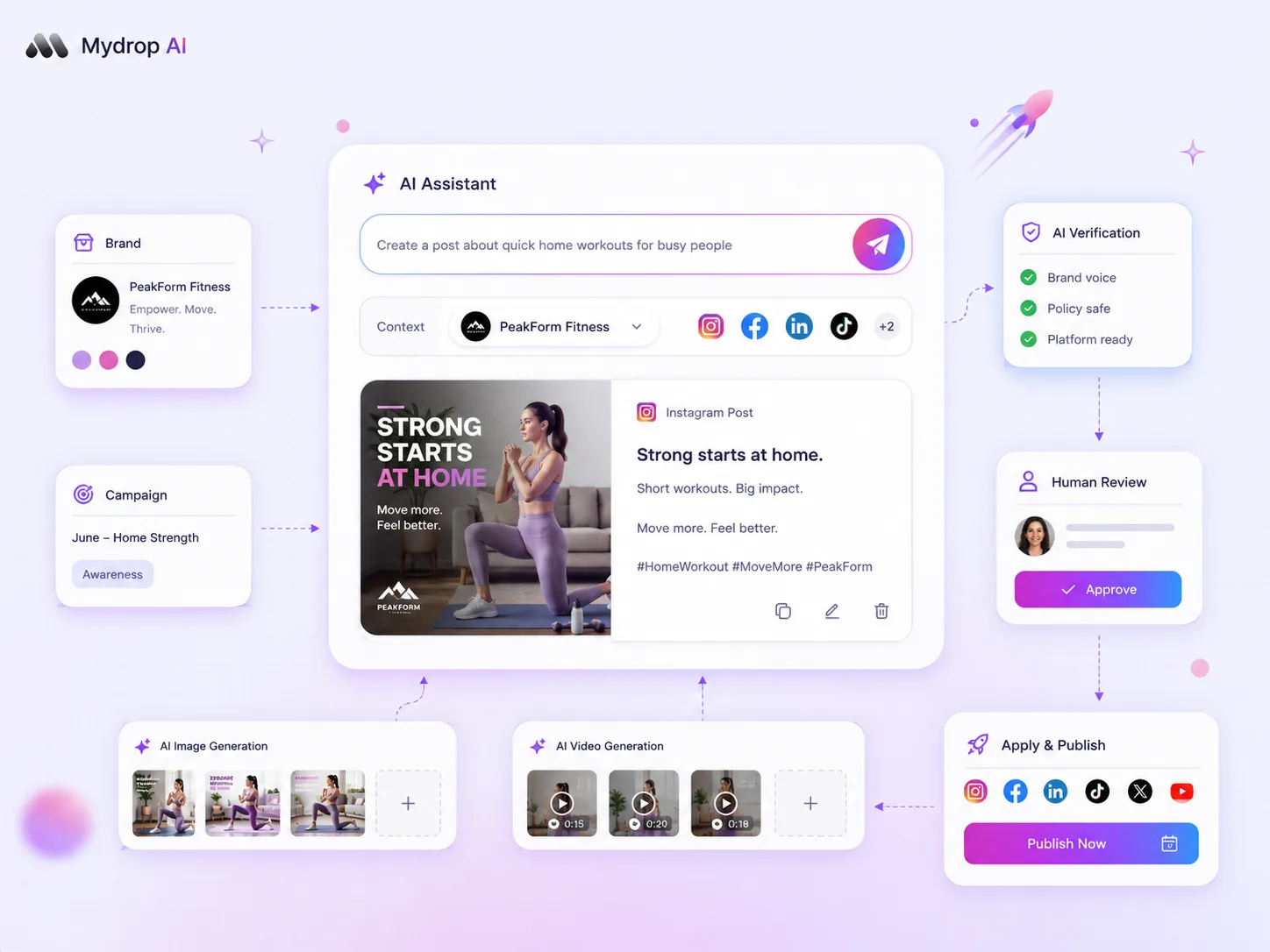
Prompt engineering is not a creative "one-off" task-it is a critical brand asset class. To stop your AI output from sounding schizophrenic across different social platforms, you must stop treating prompts like transient chat messages and start treating them like a centralized system of record. The most effective way to eliminate coordination debt and ensure consistent, brand-aware output at scale is to move from reactive prompting to a library of modular, saved components.
We get it. Keeping a distributed team aligned on brand voice feels like herding cats in a thunderstorm. You are balancing the urgent pressure to hit publish with the need for quality, and by the time you have manually edited the third AI-generated caption for "brand tone," you have already lost every efficiency gain you bought the tool for. The hidden cost here is not just the lost time; it is the slow, irreversible dilution of your brand equity when every post feels like it came from a different human-or worse, a different robot.
The decision teams usually frame too broadly

Most teams frame their AI strategy as a quest for the perfect tool. They cycle through models and platforms, hoping for a "magic button" that understands their brand. But this is the wrong fight. In our experience across thousands of social media workflows, the failure point is rarely the engine-it is the coordination debt inherent in how teams instruct that engine.
When your team relies on disparate chat threads to store "good prompts," you create siloed creativity. One social manager might have a great TikTok hook formula saved in their own browser history, while the LinkedIn lead is still manually tweaking their captions to sound professional. This lack of a shared operating habit is why your brand voice drifts.
To fix this, stop asking "Which AI tool do we use?" and start asking "How do we codify our brand requirements into a repeatable, modular library?"
| The Ad-Hoc Mess | The Saved Prompt System |
|---|---|
| Storage: Hidden in Slack, Notion, or individual AI chat histories. | Storage: Centralized library inside your content platform. |
| Usage: Manually rewritten or "copy-pasted" from old posts. | Usage: Modular components injected into new workflows. |
| Consistency: Subjective; depends on who is typing. | Consistency: Uniform; based on approved brand voice parameters. |
| Governance: Zero; no oversight on prompt quality. | Governance: Standardized; prompts are version-controlled assets. |
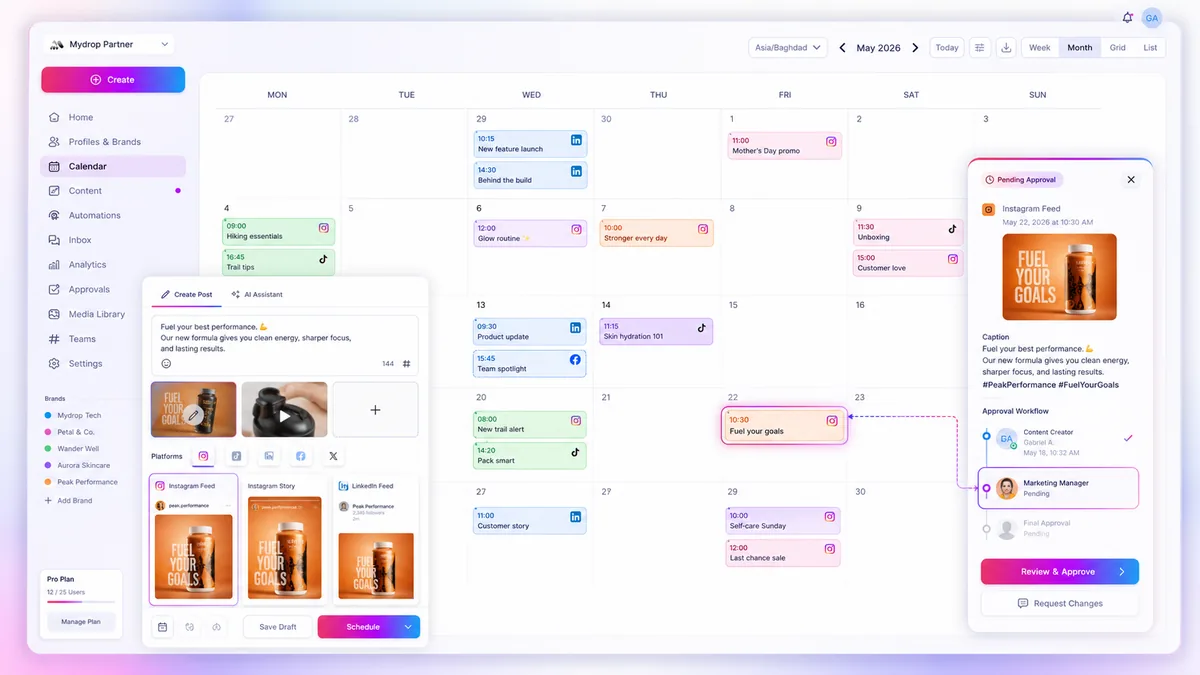
The goal is to move from reactive prompting-where you frantically type instructions every time you need a caption-to systemic prompting, where your team selects from an approved menu of modular instructions. This is where Mydrop’s Saved Prompts actually earn their keep. They allow you to turn your brand guidelines into a persistent, reusable operating habit that lives directly inside your composer, removing the need for your team to guess which adjectives define your voice today.
What should stay manual and what can move faster

The biggest mistake we see teams make is trying to automate the "soul" of the brand alongside the "tasks" of the brand. If you force your AI to handle everything, you end up with content that feels mathematically perfect but emotionally hollow.
Keep your brand strategy, high-level messaging pivots, and sensitive crisis communications strictly manual. These require a human pulse, stakeholder alignment, and the kind of nuance that an AI simply cannot replicate without sounding like a boardroom memo.
Where you should move faster-and where the real efficiency gains live-is in the execution layer. Drafting recurring content, localized social captions for different platforms, and first-pass suggestions for seasonal campaigns are perfect candidates for your prompt library.
Think of it this way: your team should be the architects defining the "why," while your saved prompts in Mydrop act as the contractors handling the repetitive "how." If the human in the loop is spending more time fixing grammar than refining the creative strategy, your prompts are doing too much of the heavy lifting.
The tradeoff matrix
To stop the "coordination debt" from piling up, you need a clear way to sort your daily work. Use this simple matrix to decide when to lean on your prompt library and when to pull the emergency brake.
| Task Category | Who Owns It | Prompt Strategy |
|---|---|---|
| Brand Identity & Voice | Senior Strategist | Manual. Never automate your core voice guidelines. |
| Platform Captions | Content Manager | Library. Use saved, context-aware prompts for LinkedIn vs. TikTok. |
| Campaign Ideation | Entire Team | Hybrid. Use prompts to generate 20 ideas, then pick the best 2 to refine. |
| Community Replies | Community Manager | Library. Use saved snippets for tone-aligned, non-templated engagement. |
| Crisis & Legal | Legal/Comms Lead | Manual. Zero automation. Use human judgment only. |
Operator rule: If you find yourself editing the output of a prompt the same way more than three times in a single week, stop. Your prompt is broken. Update the library item, save it, and re-share the improved version with the team.
The goal here isn't to set it and forget it. It is to create a living, breathing system of record that evolves as your brand does. When someone on your team notices that the LinkedIn audience is responding better to a slightly less formal tone, you update the Saved Prompt once in Mydrop, and the entire team immediately benefits from the smarter, more effective output.
Most teams do not have a content problem. They have a decision bottleneck. By moving your repetitive, brand-compliant tasks into a centralized, modular prompt library, you stop fighting for consistency and start focusing on the high-value creative work that actually moves the needle.
How to pilot the workflow safely
Trying to overhaul your entire prompt library at once is the fastest way to invite chaos. Instead, treat your first few Saved Prompts as a low-stakes experiment. Take one specific recurring post type-say, your weekly product update or a recurring community spotlight-and build a prompt specifically for that.
Run the AI output side-by-side with your human-written version for a week. If the AI version consistently misses the mark on your brand's specific "energy," tweak the prompt’s constraints, not the underlying tool. The goal is to identify exactly where the model "drifts" so you can pin it back with better context.
Before you give your team full access to the new prompt library in Mydrop, follow this simple pilot checklist:
- The "Cold Start" Test: Ask someone who did not write the prompt to use it for a post. If they cannot get a usable result in two tries, the prompt is still too vague.
- The "Voice Audit": Run the prompt against three different product contexts. Does the tone remain stable, or does it sound like two different people?
- The Human-in-the-Loop Threshold: Set a rule that every AI-generated caption must be reviewed for at least three elements: current brand campaign tags, local market nuances, and emoji density.
- Library Locking: Once a prompt is "production-ready," move it to a shared workspace area where only leads can edit the core logic. This prevents the "too many cooks" problem where everyone tries to "fix" the prompt by adding their own stylistic whims.
Decision check: Never treat a Saved Prompt as a "set and forget" asset. If you are not reviewing the output quality monthly, your prompt library is just a high-tech way to automate brand dilution.
The operating rule to keep
When you are managing dozens of brand profiles across multiple platforms, the biggest trap is the temptation to build "all-purpose" prompts. You end up with a prompt that is four paragraphs long, trying to account for every edge case, and the resulting AI output ends up sounding like a corporate FAQ document.
Keep your prompts modular and specialized.
Instead of one giant prompt for "All Social Media," build three specific ones: The Thought Leader (short, punchy, value-first), The Product Showcase (feature-focused, benefit-driven), and The Community Pulse (conversational, question-led). In Mydrop, this allows your team to choose the right "mode" for the specific post they are creating rather than forcing a generic, mediocre one-size-fits-all output onto every single channel.
Conclusion
The difference between a team that struggles with AI inconsistency and one that uses it to scale isn't the sophistication of their tech stack; it is their discipline as editors.
AI will always be a mirror of the input you provide. If you feed it chaos, it will return chaos at scale. By treating your Saved Prompts as a living, breathing brand library, you move from just "generating content" to actually automating your brand's standards. You are not just saving time; you are building a system that allows your best writers to spend their energy on the creative strategy that moves the needle, while the routine execution hums along in the background, consistently, on-brand, and ready to publish.

 Google review
 Trustpilot review
 Product Hunt comment




