


You can solve your creative handoff friction today by connecting your design tools directly to your media library, effectively eliminating the manual download, rename, and re-upload cycle. When you treat your desktop as a temporary holding pen for creative assets, you create a fractured archive that no amount of folder-naming discipline can fix. By establishing a direct bridge, you move from managing files to managing the flow of finished designs, saving your team hours of soul-crushing file movement every week.
We get it. The creative process is messy. You are already juggling feedback loops, last-minute design tweaks, and platform-specific exports. Between the "final_final_v2.png" confusion and the sheer time lost moving files across browser tabs, you end up spending more time as a glorified file mover than a content strategist. It is a quiet, expensive operational tax that compounds until your asset repository becomes a graveyard of unidentifiable versions.
The operating problem this solves
The core issue is that manual handoffs are treated as "transfers" rather than "syncs." When a designer finishes a graphic in Canva and saves it to a local drive before uploading it elsewhere, they introduce a point of failure for every downstream task: publishing, reporting, and asset retrieval.
Most teams assume the bottleneck is the design phase, but in our experience across thousands of posts and hundreds of brand profiles, the real delay lives in the coordination debt created by moving files between systems.
| Metric | Manual Handoff (The Old Way) | Connected Handoff (The Mydrop Way) |
|---|---|---|
| Steps | 7 (Export, Rename, Download, Locate, Upload, Categorize, Sync) | 2 (Select, Import) |
| Latency | Minutes to hours (depending on team queue) | Seconds |
| Risk | File duplication, version drift, local cache errors | Single source of truth, automated metadata |
Why this matters for your workflow:
- Version drift: Every manual move is a chance for a user to grab the wrong version.
- Naming friction: Local storage encourages chaotic naming, while direct ingestion allows for standardized metadata tagging upon arrival.
- Governance loss: When assets live in local folders, they are invisible to the rest of the organization, making it impossible to audit usage or ensure brand compliance at scale.
Most teams do not have a content problem; they have a decision bottleneck. When you automate the ingestion of assets, you stop forcing your senior creatives to act as document controllers and let them focus on higher-leverage work. Integrating a service like Canva directly into your library via an OAuth bridge ensures that when an asset is marked as "final" in the design tool, it is immediately available for the publishing team without a single manual upload.
This shift moves your team away from "file fetching" and into a state where your media library is always ready for the next campaign.
The minimum system that works
The most effective way to eliminate manual file movement is to establish a direct link between your design tool and your media repository. You stop acting as a courier for your own files and start focusing on the actual content.
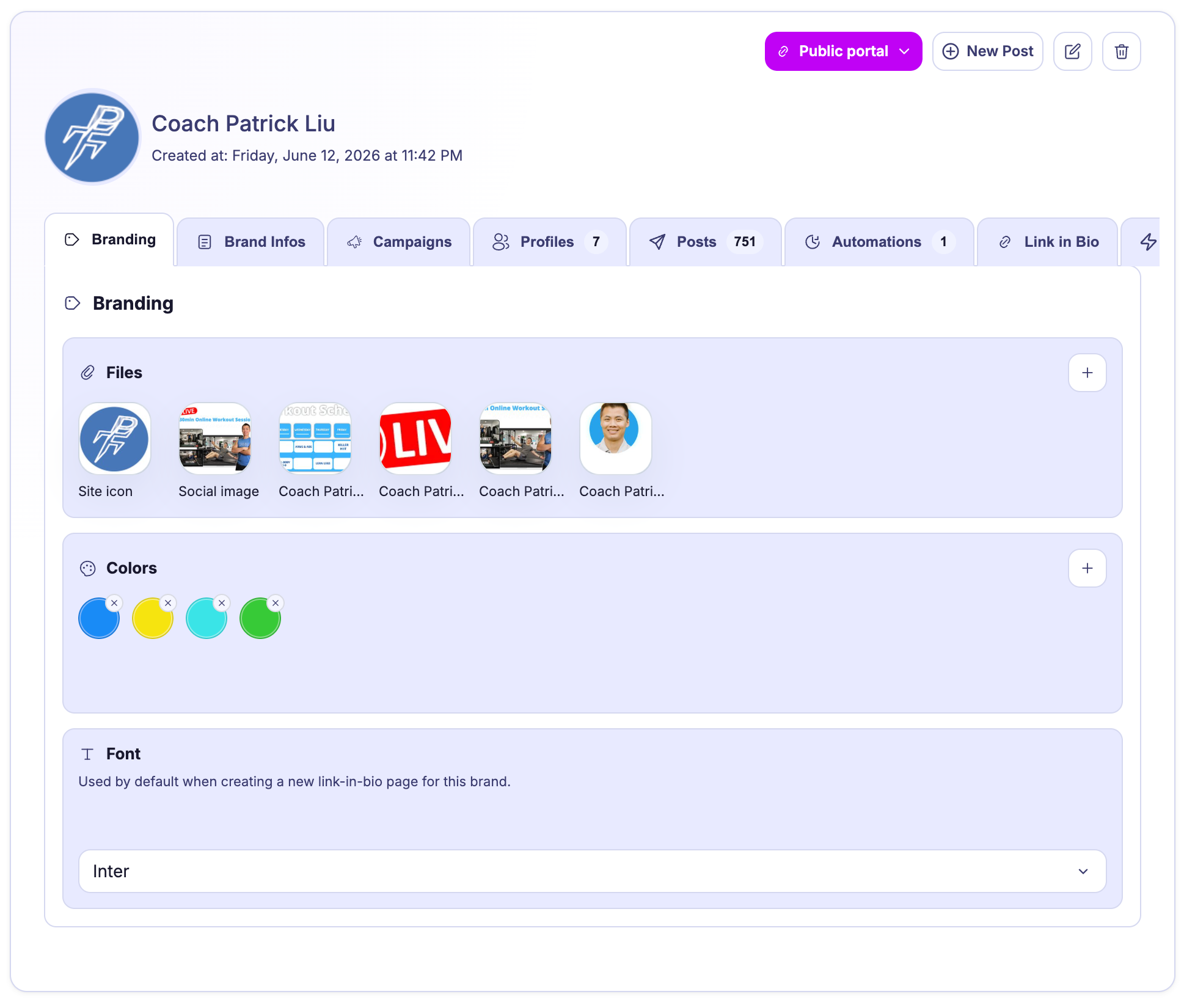
When you connect a tool like Canva to Mydrop, you are essentially opening a secure door. You no longer export to your desktop, rename, locate the file, and then manually upload it into a folder. Instead, you use the Service Import modal. You browse your designs directly within your media management interface, select the specific assets you need, and import them into the exact folder where they belong. The system handles the file transfer and basic metadata in the background.
This approach creates a clean, predictable flow where every asset lands exactly where it is expected, fully indexed and ready for your publishing calendar.
| Metric | Manual Handoff (The Old Way) | Connected Handoff (The Mydrop Way) |
|---|---|---|
| Steps | 7 (Export, Rename, Download, Locate, Upload, Categorize, Sync) | 2 (Select, Import) |
| Latency | Minutes to hours (depending on team queue) | Seconds |
| Risk | File duplication, version drift, local cache errors | Single source of truth, automated metadata |
Operator rule: If you have to move a file more than once, your workflow is working against you. The goal is to move the asset from the "creation environment" to the "publishing environment" with one authentication bridge, not three manual uploads.
Where teams overbuild the process
Here is where teams usually get stuck: they confuse process complexity with governance. We see teams spend weeks debating granular file-naming conventions or building elaborate folder hierarchies that look great in a spreadsheet but are impossible to maintain in the heat of a campaign.
When you overbuild, you create a "compliance tax" that makes it harder for your creative team to actually ship work. If a designer has to follow a 15-step naming protocol to get an asset approved, they will stop using your central library and start keeping everything on their local machine. That is how your organization loses control.
Instead of force-fitting everyone into a rigid naming system, rely on the metadata and organizational features built into your library.
Rate your Handoff Health (Scorecard):
- Does your team have a single, non-local source of truth? (1 point for Yes)
- Can a user import an asset without manual renaming? (1 point for Yes)
- Is your storage space visible and quota-managed? (1 point for Yes)
- Are imports linked to specific gallery folders automatically? (1 point for Yes)
- Can you cancel a long-running import if you realize you selected the wrong batch? (1 point for Yes)
- 1-2 points: High risk of duplication and version drift. Your team is likely keeping their own "private" archives.
- 3-4 points: Solid foundation. You are using the system, but you may still be struggling with unnecessary manual friction.
- 5 points: You are operating at scale. You have removed the mechanical barriers to your content velocity.
This is the awkward truth about enterprise growth: you do not need more software; you need fewer manual handoffs. A system that works is one that your team prefers over their own chaotic desktop folders. When the path of least resistance leads directly into your approved library, your governance happens automatically.
How to run the cadence
Establishing a predictable flow requires shifting from ad-hoc transfers to a scheduled rhythm. When you treat creative handoffs as a rhythmic synchronization event rather than a "whenever" task, you stop the frantic scramble for assets ten minutes before a post is due.
In our experience, the teams that stop drowning in files are the ones that hold a "Content Sync" session once or twice a week. Instead of asking designers to dump files into a shared drive where they go to die, you hold a brief review where finished designs are pulled directly into the relevant gallery folders using the Service Import tool.
Decision check: Never ask a designer to "email me the file" or "drop it in the Slack channel." If it is not in the approved gallery folder, it does not exist for the scheduling team.
Here is a simple operating cadence you can pilot next week:
- Design Push (Tuesday/Thursday): Designers finish their exports in Canva. They don't need to download a single file.
- Review & Sync (Wednesday/Friday): The social lead opens the Mydrop service import modal, selects the finalized assets, and maps them directly to the target campaign folder.
- Validation Check: The team confirms the metadata matches the campaign objectives while the files are still hot from the design tool.
The proof that the habit is working
You know the transition is taking hold when your team stops talking about "finding the file" and starts talking about "optimizing the campaign." If you want to measure whether this change is fixing your coordination debt, use this simple health scorecard.
Creative Handoff Health Scorecard
| Indicator | Low Health (Manual) | High Health (Automated) |
|---|---|---|
| Asset Origin | Local hard drives / Desktops | Centralized gallery folders |
| Naming Conventions | Inconsistent ("draft_v3_final") | Systemic (Auto-assigned at import) |
| Search Time | > 5 minutes per asset | < 30 seconds |
| Version Drift | High (multiple versions floating) | Zero (single source of truth) |
If you are consistently hitting the "High Health" metrics, your team is no longer paying the operational tax of file management. The friction vanishes because the creative output is always exactly where the publishing team needs it to be, already tagged and ready for the next step in the cycle.
Conclusion
The bottleneck in your content output is rarely a lack of creative vision. It is the invisible drag caused by moving files across disconnected tools. When you bridge that gap, you stop being a digital file mover and start operating with the speed an enterprise brand actually requires.
Stop managing the movement of files and start managing the flow of your strategy. By connecting your design tools directly to your media repository, you aren't just saving a few minutes on a download-you are building a scalable foundation that lets your team focus on the work that actually earns attention.

 Google review
 Trustpilot review
 Product Hunt comment




