


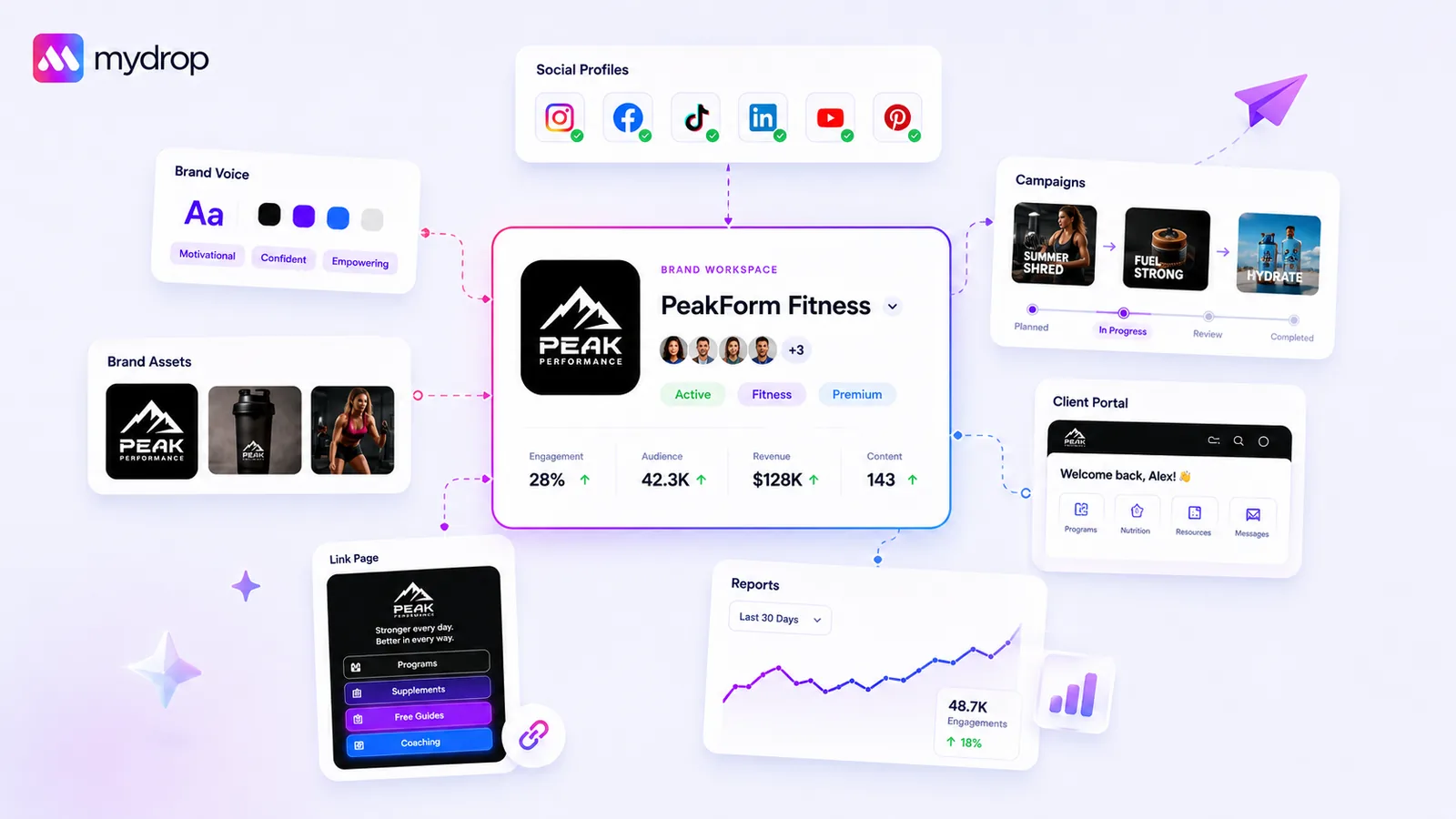
The most effective way to eliminate brand inconsistency isn't better design briefs-it's closing the operational gap between where assets live and where posts go live. When "Brand" is a static PDF instead of a dynamic, synced engine, your team will always be fixing files at the last minute. This isn't a design failure; it's a coordination bottleneck.
We get it. You have a brand guidelines PDF that nobody reads, assets living in three different cloud drives, and a team struggling to hit the publishing deadline. It’s messy, it’s frustrating, and it feels like you're fighting your own systems just to get a post out the door. You’re not alone.
What the best tools need to handle

The fundamental shift required for scaling enterprise social media is simple: you must stop viewing asset storage as a passive library. Storing files is not the same as managing them. If your tool simply holds logos and colors, it's just a digital attic.
The best tools in this space act as operational bridges. They don't just hold the asset; they understand its context, its application, and its constraints.
Here is what an effective brand engine must manage to eliminate manual friction:
| Capability | Why it matters |
|---|---|
| Centralized Linkage | Assets must live where the composer lives, not in a separate drive. |
| Context Mapping | Colors, fonts, and tone must map automatically to specific brand profiles. |
| Dynamic Updates | Replacing a logo once should propagate across all active campaigns. |
| Constraint Enforcement | The tool should prevent users from choosing off-brand colors by default. |
When you force your team to manually fetch, re-check, and re-apply these elements for every post, you create a "coordination debt" that slows everything down. A high-performing system handles this mapping at the profile-group level, so the social manager never has to remember which hex code belongs to which client.
Operator rule: If your team has to ask "Is this the latest version?" before posting, your system has already failed.
Where basic tools start to break

Most teams reach a breaking point when the "Brand Folder" becomes little more than a digital junkyard. You know the scene: a shared drive with folders named "Final," "Final_v2," and "FOR REAL FINAL." When your tool treats these assets as static files rather than living brand data, your team is forced to play a high-stakes game of telephone.
The disconnect happens the moment a creative asset is exported. If your publishing tool doesn't know what that asset is-or which specific brand rules apply to it-you lose the ability to automate quality. You aren't just storing files; you are storing potential mistakes. When managers have to manually remember to swap a logo, double-check a hex code, or verify a tone-of-voice guide for every single post across ten different channels, the system isn't scaling. It's leaking.
At this level of complexity, the "attic" approach to storage creates a massive distribution bottleneck. We see this across hundreds of brand profiles: the time spent verifying content often exceeds the time spent creating it.
Decision check: If your team spends more time checking asset compliance than they do refining strategy, your tool is the bottleneck, not your creative process.
The buying criteria that matter
Stop evaluating tools based on how easy they make it to upload files. That's table stakes. Instead, evaluate them on how they enforce brand usage when the rubber hits the road in the composer. You need a bridge, not a bridge-to-nowhere.
Use this scorecard to audit whether your current stack actually solves the operational disconnect or just hides it.
Brand Integrity Scorecard
| Capability | What to Look For | Operational Threshold |
|---|---|---|
| Asset Linking | Does the asset exist in a "Brand Folder" that the composer natively reads? | Zero manual file searching. |
| Contextual Auto-Fill | Are colors, tone, and links automatically pulled into the editor based on the selected profile? | 100% reduction in manual hex-code entry. |
| Source of Truth | If you update a logo in the central brand hub, does it propagate across all active campaigns? | Immediate, global asset refresh. |
| AI Alignment | Does the tool's AI generation read your specific brand context (tone, goals, hashtags) to inform drafts? | Context is applied before the first draft, not added later. |
| Profile Membership | Can you add or remove profiles from a "Brand" without re-authenticating credentials? | Under 60 seconds to re-group a portfolio. |
The bottom line is simple: A tool is only as good as its ability to keep your team out of the weeds. If you are still manually copy-pasting brand hex codes or hunting for the correct logo variant at 5 p.m. on a Friday, you aren't using a "social media tool." You are using a very expensive way to store files that you'll have to fix anyway.
The best tools don't just store your assets; they actively manage the identity of your brand across every touchpoint. They treat "Brand" as a dynamic, synced engine that informs every part of the publishing flow, from the first spark of an idea to the final analytics report.
How Mydrop supports this workflow
The reason most tools fail here is that they treat "Brand" as a static label-a folder name you tag a file with. At Mydrop, we see it differently: a brand is a dynamic engine that powers every piece of content you produce.
When you configure a Brand Group in Mydrop, you aren't just uploading a logo to a folder. You are building a centralized intelligence layer. You input your brand guidelines, link your specific social profiles, and import your website assets. From that point on, the system knows your color palette, your approved fonts, and your brand tone.
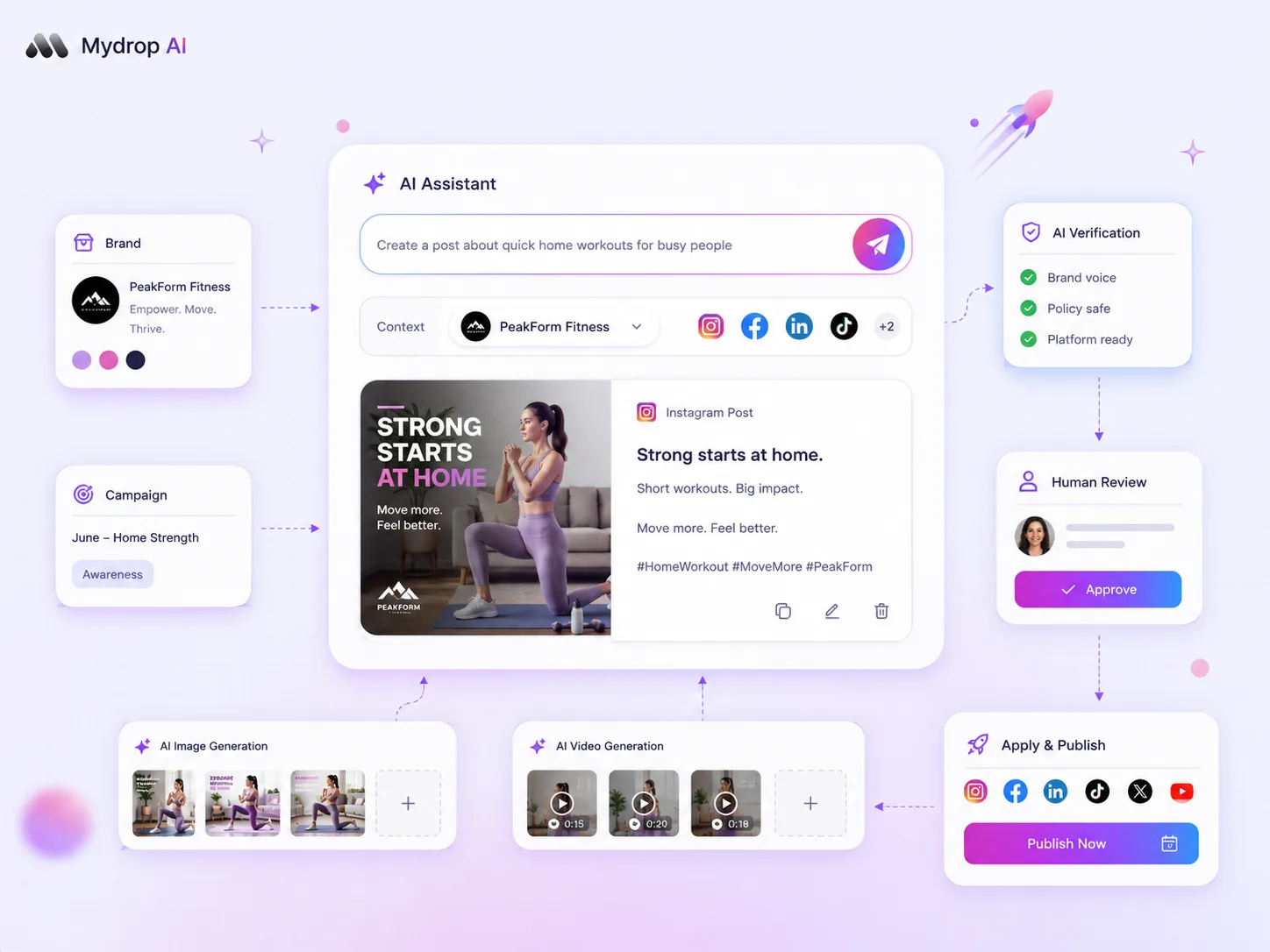
The magic happens in the composer. Because the brand is linked, the system automatically surfaces your approved assets and applies your brand context to AI generation prompts. You stop hunting for the right hex code or the latest logo version; the tool already has it loaded and ready for that specific brand's profiles. You save hours of manual setup, but more importantly, you eliminate the risk of a social manager accidentally using a stale logo or an off-brand color for a high-priority campaign.
Workflow check: If your team has to manually copy-paste brand information into a post composer, your tool isn't managing your brand-it’s just storing your files.
A simple shortlist checklist
Before you commit to a new platform or reconfigure your current stack, run your potential tools through this audit. If a tool can't hit these four points, you aren't solving the operational disconnect; you are just delaying the next "brand emergency."
| Feature Requirement | Purpose | Why it matters |
|---|---|---|
| Asset Linking | Directly tie a folder to specific social profiles. | Prevents cross-brand asset leaks. |
| Auto-Extraction | Scrape colors/logos from your brand URL. | Reduces manual entry and human error. |
| Context Injection | Surface tone/goals in the composer. | Keeps AI-generated content on-brand. |
| Profile Agility | Add/remove channels without reconnecting. | Simplifies managing complex client portfolios. |
The litmus test: Ask your team: "If I change a brand logo today, how many clicks does it take to update every single upcoming scheduled post?" If the answer is "I have to edit them one by one," you have your answer.
Conclusion
Brand consistency isn't a design challenge that ends with a perfectly crafted PDF guidelines document. It is an operational discipline that only survives when your tools make the right choice the easiest one.
Stop trying to police your team into following rules they don't have time to read. Instead, build a system where the "final" asset is always at their fingertips, and the brand context is baked into the publishing process itself. When you close the gap between your assets and your composer, you stop managing chaos and start scaling your brand.

 Google review
 Trustpilot review
 Product Hunt comment




