


Scaling social operations across multiple brands isn't about hiring more people; it’s about fixing the "where is that documented?" bottleneck by integrating training directly into your workspace. When you manage dozens of channels, your team shouldn't have to leave the application to find a style guide, a brand asset, or an approval workflow. If your current resource center is just a static wiki that nobody visits until something breaks, you’re losing time to constant Slack interruptions and context-switching fatigue. The best resource hubs are context-aware; they know exactly what task your team member is performing and surface the right help at the exact moment they need it, not three clicks away.
What the best tools need to handle

Most teams treat documentation like a library: store it, hope it’s organized, and expect people to find it. That fails at scale because it requires the user to know what they are looking for before they realize they’re stuck.
A high-performing resource hub must move beyond passive storage. It needs to handle these three operational requirements:
Proactive Surface Management: The tool shouldn't wait for a search query. When a user lands on their home workspace or starts a new content composer, the resource hub should automatically surface relevant setup steps or recent history boards.
Data-Driven Onboarding: If a user has already connected their LinkedIn profiles, they shouldn't see a "Connect Your LinkedIn" guide. The best hubs validate setup milestones directly from the live product data, ensuring that resources are only shown when they actually provide value.
Guided Execution: Providing a link to a help article is rarely enough. The tool should offer "Show Me" tours that run inside the app, letting users experience the workflow while the guide walks them through it.
Operator rule: If your team has to leave the app to learn how to use the app, you haven't built a resource hub; you've built a library that is actively slowing down your production pipeline.
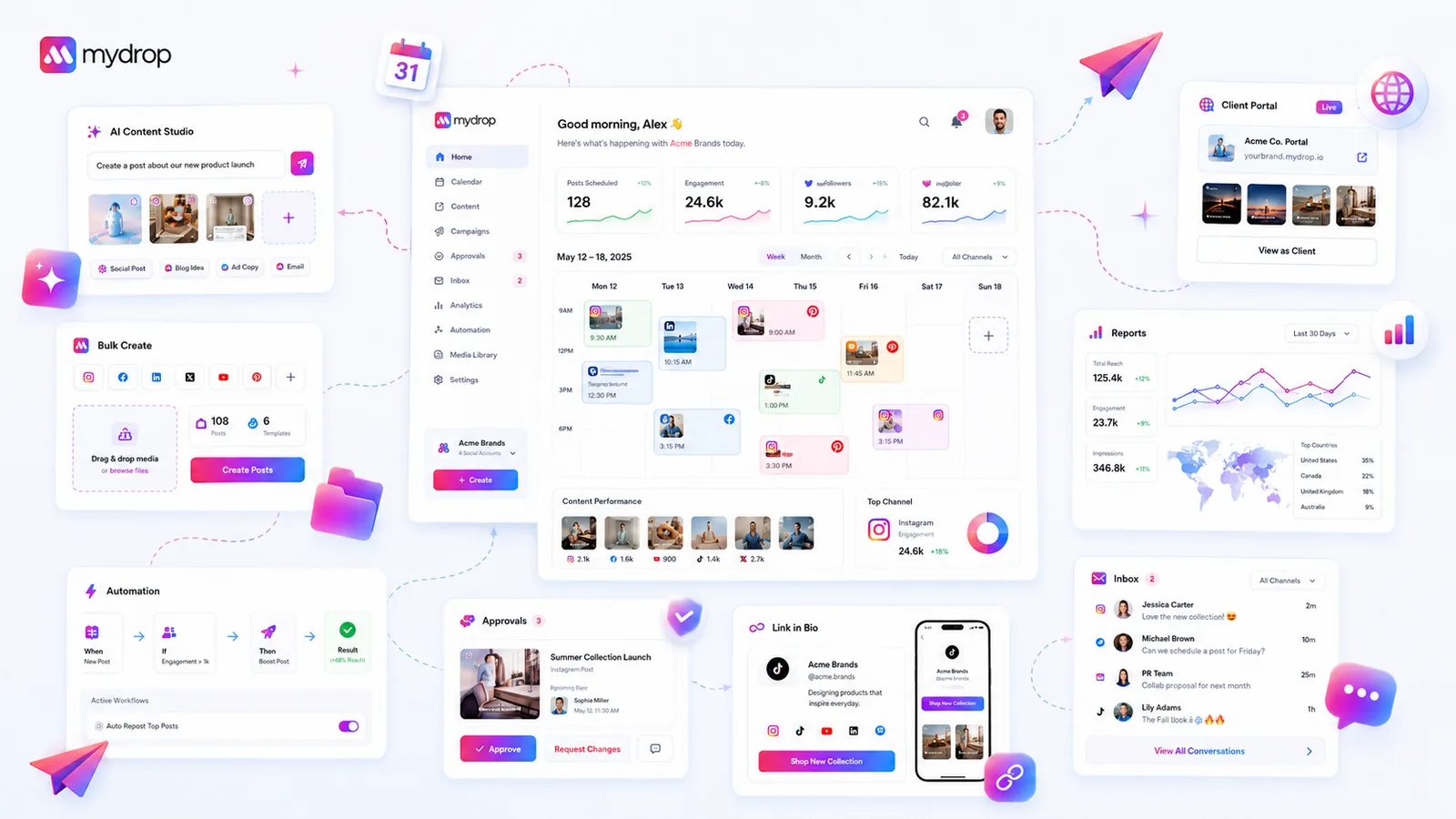
At Mydrop, we’ve seen that coordination debt often stems from this exact friction. When we designed our onboarding and resource surfaces, the goal was to keep the user in the "flow state" by automating the path to the first successful workflow. Whether it is tracking progress through a Quick Start checklist or surfacing recent notes and reminders right where work happens, the tool needs to act as a proactive guide.
If you are evaluating your current setup, ask yourself: Does the system recognize the user's progress, or is it showing the same static onboarding guide to the expert user and the new hire? The difference between those two approaches is often the difference between a team that struggles to scale and one that moves seamlessly across brands and campaigns.
Where basic tools start to break

Most internal wikis are actually graveyards for good intentions. You create a brilliant 20-page guide on Brand Voice for Summer Campaigns, but by the time a creator needs to apply it, they are already deep in the composer, staring at a blank screen.
They won't switch tabs, search for that PDF, read it, and then come back. They will guess.
When your resource hub is a separate library, it is disconnected from the actual work. You end up with a coordination tax where every new team member or brand integration requires a 30-minute Slack walkthrough instead of a self-service tour.
The real bottleneck isn't content; it's context.
If your tool doesn't know that a user is trying to connect a new brand, or if it can't surface the exact compliance checklist needed for that specific market, you haven't actually built an enablement tool. You have just built another place to lose information.
The buying criteria that matter
Stop evaluating tools based on how many how-to articles they can store. Start evaluating them based on how effectively they reduce the time between "I don't know how" and "Task complete."
For an enterprise team, the choice comes down to whether the tool is just a container or an actual conduit for action.
Use this scorecard to audit any platform you are considering. If a tool doesn't score high on these three axes, it is likely just adding to your team's noise, not reducing it.
| Evaluation Axis | What to look for | Risk of failure |
|---|---|---|
| Workflow Proximity | Is help surfaced within the app? | Team ignores docs; support tickets spike. |
| Contextual Awareness | Does it know I am in the composer? | User gets irrelevant how-to spam. |
| Action Tracking | Does it track setup milestones? | You lose visibility into team training. |
1. Workflow Proximity The best resources are invisible until you need them. They should be a quick-start panel, a guided setup step, or a relevant prompt-not a link in a navigation bar you ignore. If a user has to exit their workflow to find help, the tool has failed.
2. Contextual Awareness A tool that treats everyone the same is a tool that annoys everyone. Advanced platforms recognize what a user is doing. If a user is setting up a new brand, they need profile connection guides. If they are about to publish, they need approval checklists. At Mydrop, we designed our onboarding surface to react to the state of the workspace-because we know that a user managing their first brand needs different guidance than a veteran user optimizing a global campaign.
3. Action Tracking Documentation is passive. You need a platform that tracks if the user actually reached the milestone. Did they connect their first profile? Did they try AI post generation? If you can't see the progress, you can't know where your team is stuck.
Decision check: If your resource hub cannot measure whether a user is successful or merely informed, you are missing half the picture. You need metrics on the process of learning, not just the content itself.
When you shift the requirement from centralized storage to integrated enablement, your criteria for what makes a tool Enterprise-ready changes instantly. The goal isn't to have a library; it's to have a platform that teaches your team how to work while they are actually working.
How Mydrop supports this workflow
We built the Mydrop resource and onboarding surface to solve the exact problem of "coordination debt" that slows down large, distributed teams. The core principle here is simple: help should never be a destination. If a team member has to stop working, leave the application, and search for an answer, you have already failed to provide a resource hub; you have provided a library.
Instead of static documentation, we treat onboarding and resources as an active, stateful part of the workspace. When you are managing dozens of brand profiles and hundreds of active campaigns, you need a system that knows exactly what task a user is performing at that moment.
At Mydrop, we observed that teams fail to scale when they rely on a central wiki that is disconnected from the actual production environment. Our approach is to integrate enablement directly into the user's flow through three primary channels:
- Context-aware guided tours: Instead of general walkthroughs, our system triggers guidance based on the current state of the workspace. If a user is connecting a new brand or setting up their first automation, the assistant offers to guide them through the specific steps for that task, not a generic overview of the entire product.
- Actionable setup checklists: We replace generic training with a live progress checklist that tracks real milestones like connected profiles, uploaded media, and non-suggestion posts. Users are not just reading about how to start; they are actively working through the checklist to set up their environment.
- Aggregated work history: The Home surface provides an AI-first workspace that brings together recent chats, notes, and automations. This ensures that when a user returns to their tasks, they can pick up exactly where they left off, without digging through folders or searching for a previous Slack thread.
This proactive model turns training into an invisible, background task that happens while the team is working. The result is a drastic reduction in support tickets because the answers are served before the user thinks to ask them.
A simple shortlist checklist
If you are currently evaluating your internal resources, use this scorecard to determine if your setup is truly aiding your team or just adding to the noise. If you cannot check off at least four of these points, you likely have a "library" bottleneck, not a resource hub.
- Workflow integration: Can your team access the specific help needed for a task without leaving the main application window?
- State awareness: Does your resource hub recognize whether a user has already connected their profiles or completed basic training milestones?
- Actionable output: Do the resource prompts lead directly to the next setup step, rather than simply opening a PDF or a text guide?
- Task continuity: Does the home dashboard provide an immediate view of recent work, like chats or notes, to reduce the time needed to restart complex projects?
- Proactive surfacing: Is the help displayed based on the user's current workflow state, rather than waiting for the user to initiate a search?
Conclusion
The transition from documentation-heavy libraries to proactive, context-aware enablement is no longer optional for enterprise social teams. When you manage dozens of channels across multiple markets, your biggest risk isn't a lack of information-it is the coordination debt that accumulates when information is hard to find and even harder to apply.
The best social resource hub is one that feels less like a manual and more like a coworker who knows exactly what you are doing and offers a quick tip just as you are about to need it. By shifting your focus from static wikis to embedded, actionable tools, you can finally eliminate the "where is that documented?" bottleneck.
Focus on creating a flow where training, setup, and daily work are indistinguishable. When your team can move from onboarding to publishing without breaking their concentration, you have moved from simple documentation to true operational scale. This is the new standard for serious, multi-brand social teams that need to move fast without losing control.
 Google review
 Trustpilot review
 Product Hunt comment




