


If you are managing social operations for more than one brand, you do not need more scheduling tools. You need a publishing governance layer. The best software for multi-brand teams bridges the gap between high-volume production and high-trust human review.
Balancing brand voices, client demands, and aggressive publishing schedules for multiple brands is exhausting. We have all been there, staring at a calendar at 6 p.m., wondering if a post was actually approved or if it is just going to hit the feed as-is. It is too easy to lose track of approval chains or accidentally push a "good enough" post that misses the brand mark in the rush to fill the calendar. This guide will help you evaluate automation software based on your team's governance needs, not just vanity metrics, so you can stop babysitting workflows and start scaling them.
What the best tools need to handle

Most tools treat automation like a set-it-and-forget-it convenience. That is a trap. If your automation tool lacks an integrated, flexible approval gate, you are not saving time. You are just accelerating brand dilution.
The core operating principle is simple: "Governance at the Edge." You want to automate the heavy lifting-content assembly, media sourcing, and scheduling-but you must centralize the critical decision-making, which is the final brand approval.
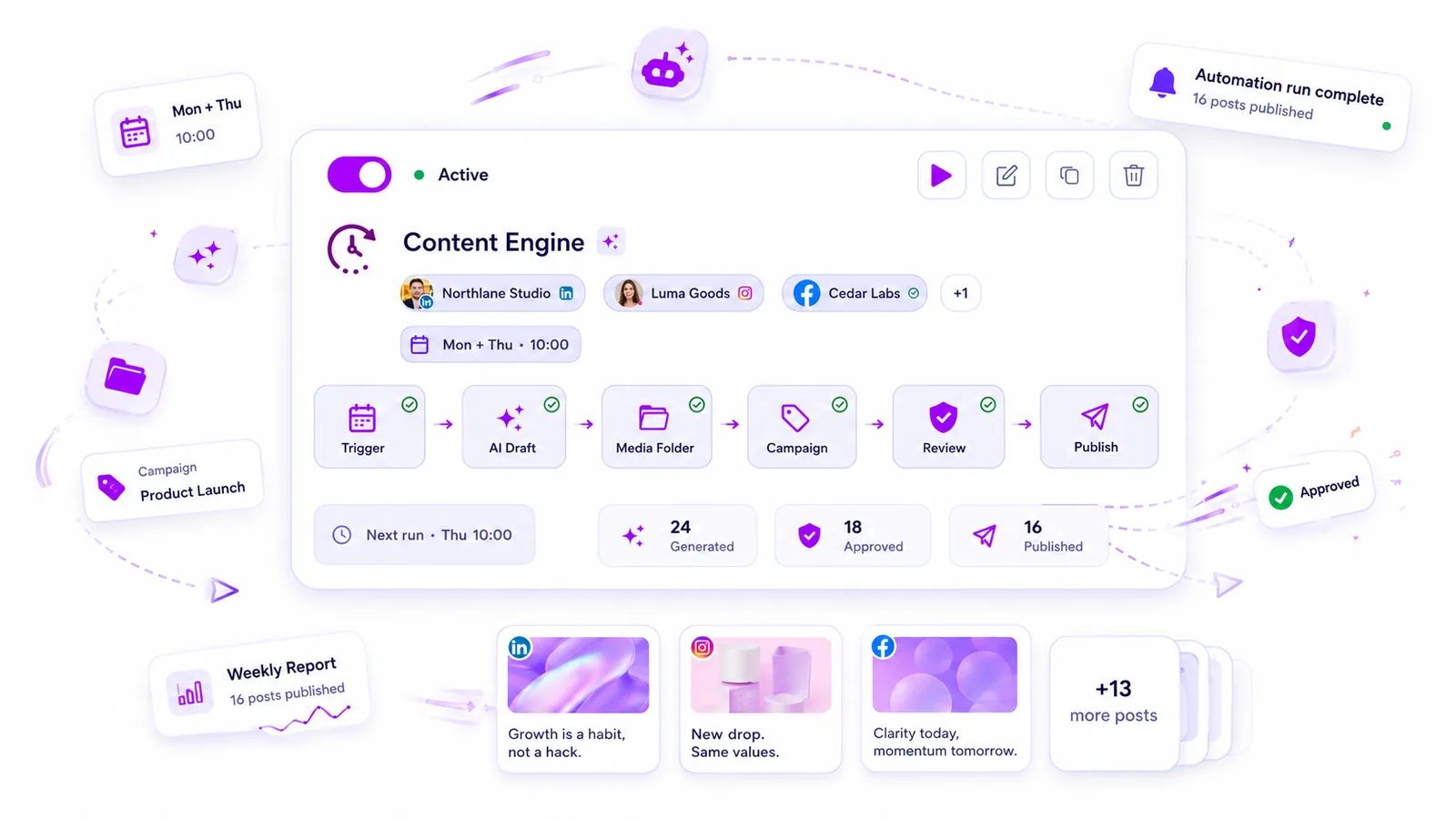
To understand if your platform is built for enterprise, look at how it manages the full production pipeline, from a trigger like a form submission or a time-based cron job, all the way to a published post. If the tool forces you to publish immediately, it fails the enterprise test.
| Pillar | Basic Scheduler | Enterprise Governance Engine |
|---|---|---|
| Approval Gating | None (or global only) | Granular per campaign/brand |
| Media Governance | Manual uploads | Automated folder-slot tracking |
| Campaign Linking | Loose/Tag-based | Integrated post-state management |
| Mapping Flexibility | Static fields | Dynamic AI and form-field mapping |
When we evaluate these tools, we look for a system that acts as a content engine rather than a static calendar. A robust engine allows you to build a repeatable pipeline once, and then lets your automation map incoming briefs to the right brand voice, campaign context, and approval recipient. Without this mapping flexibility, you are still doing manual labor for every post, regardless of how "automated" the tool claims to be.
Where basic tools start to break

Most scheduling tools treat automation like a simple set-it-and-forget-it timer. For small shops, that works fine. For enterprise teams, that is a massive risk. These tools often suffer from a Publish-Now bias, where the only goal is to get the post out at the scheduled time, regardless of whether it was actually approved or matches the campaign objectives.
When your team grows, this approach breaks fast. You end up with a social media assembly line where everyone is frantic, but no one is actually checking if the output matches the brand.
The real problem is not the publishing volume; it is the coordination debt that piles up. You might have ten people working on content, but without a centralized governance layer, you are just duplicating effort and hoping for the best.
Think about your last crisis-maybe it was a missing approval, a post with the wrong assets, or a campaign that went live without the right tracking parameters. Basic tools offer no protection here because they lack context-aware automation. They do not know who needs to approve a piece of content, or which campaign it belongs to, or how the media should be sourced. They just execute.
When the tool does not understand the workflow behind the post, you are essentially forced to manage the process outside the tool, usually in a sprawling, fragile spreadsheet. And we have all seen how that ends-the spreadsheet becomes a crime scene, and the social media manager ends up doing manual cleanup at 6 PM on a Friday.
The buying criteria that matter
When you support hundreds of profiles across five different markets, you do not need more scheduling features. You need a workflow that guarantees consistency.
To stop babysitting your content calendar, evaluate your next automation tool against how it handles governance. Use the following scorecard to separate basic tools from true enterprise governance engines.
| Feature Pillar | Basic Scheduler | Governance Engine |
|---|---|---|
| Approval Gating | None or simple Yes/No | Context-aware per campaign/brand |
| Media Governance | Upload file, manually set | Folder-based auto-selection, AI-mapped |
| Campaign Linking | Manually tagged (or ignored) | Required mapping for all output |
| Mapping Flexibility | Fixed text only | AI + form + manual field defaults |
Mapping flexibility is the hidden factor. If your automation tool cannot take a client form submission and automatically map it to the right brand context, campaign, and approval flow, you are still doing the heavy lifting manually.
In our experience, the best workflows start with Governance at the Edge. This means you automate the heavy lifting-content assembly, media sourcing, and scheduling-but you centralize the critical decision-making.
At Mydrop, we see teams achieve scale by treating automations not just as a timer, but as a content engine. It connects triggers-like time schedules or client form submissions-to production workflows that are inherently approval-aware. By keeping sensitive publishing behind a mandatory human review gate while automating everything else, you stop being a bottleneck and start being an architect of your team's publishing strategy.
Before you buy, run your top candidates through this checklist:
- Does the tool support approval triggers before the post is considered scheduled?
- Can it automatically map incoming form data to specific campaign parameters?
- Does it provide a full audit trail for every automated post?
- Can I toggle automations on and off per brand without affecting global settings?
If the answer to any of these is no, you are not buying an automation tool; you are buying a fancy way to make mistakes faster.
How Mydrop supports this workflow
You’ve probably seen the "automation gone wrong" scenario. It’s painful. A recurring post triggers, but because the campaign mapping wasn't locked down or the media folder was stale, you end up with a high-stakes brand account posting generic, off-brand filler. It’s not just embarrassing; it’s a failure of governance.
In our experience, Mydrop excels here by treating Automations as a production engine rather than just a relay. It bridges the gap between high-volume output and high-trust human review. When you build a workflow in Mydrop, you aren’t just setting a timer; you’re defining a pipeline that enforces your brand standards from the moment of intake to the final publish.
Mydrop connects triggers-whether they are time-based schedules or incoming client form submissions-directly to production workflows that are inherently approval-aware. You can map dynamic form fields to specific caption components, use intelligent folder-based media slots that automatically pull fresh content, and ensure every piece of generated output is routed correctly based on your team’s hierarchy.
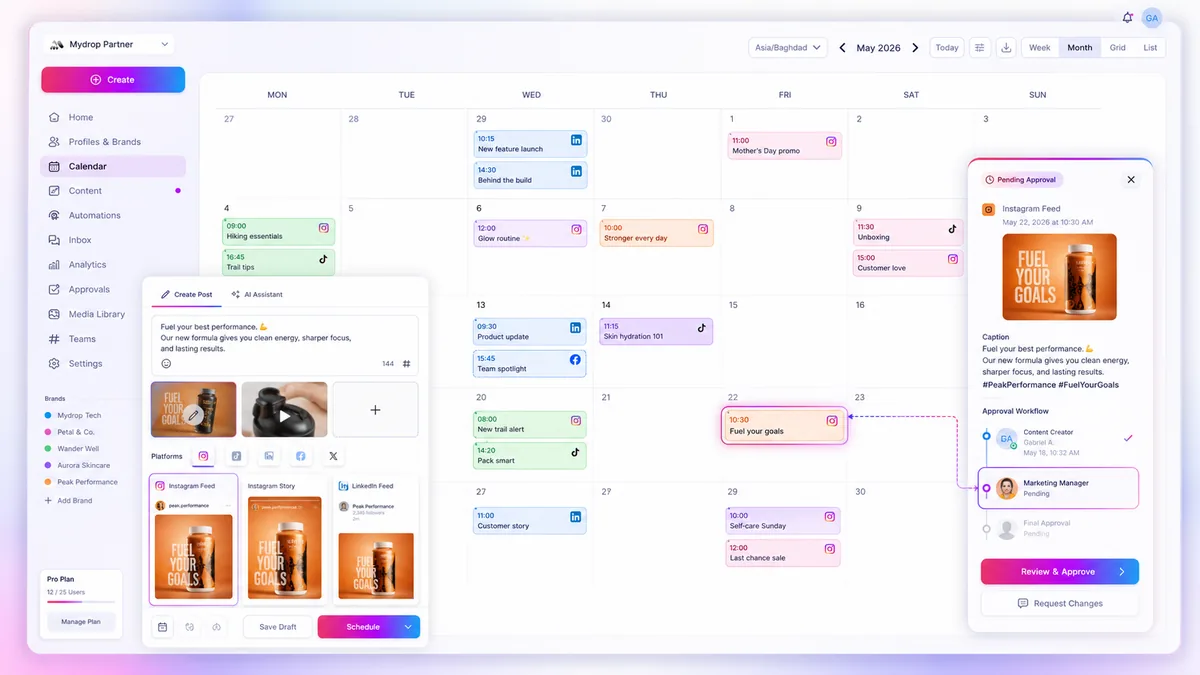
The real power here is that you can automate the heavy lifting-like assembling post payloads, mapping brand context, and queuing media-while keeping the critical decision-making behind an approval gate. Teams use this to ensure that even with automated publishing at scale, every post still has that necessary human sign-off, protecting the brand from the speed of its own machine.
A simple shortlist checklist
If you are currently evaluating your social stack, use this as a baseline to separate tools that just schedule from tools that actually govern. If the platform cannot check off these boxes, you aren’t buying efficiency; you are buying future coordination debt.
- Granular Approval Gating: Can I force a specific campaign or trigger type to always require human approval before it hits the live queue?
- Flexible Mapping: Can the tool pull data from external forms, AI-generated prompts, and internal media folders into a single post payload without manual intervention?
- Campaign-Linked Logic: Does the automation automatically assign the right brand context, profiles, and campaign tags to the generated content?
- Audit Trail Visibility: Can I see exactly which automation created a post, when it was modified, and who approved it before publication?
- Safe Media Sourcing: Does the system prevent duplicate media usage across recurring posts using tracked usage data?
- Conditional Notification: Can I route approval requests to specific stakeholders based on the brand or campaign, rather than just pinging a generic team inbox?
The final operating truth
If you’re managing social operations for multiple brands, you already have enough on your plate. You don’t need more tools that add to the noise, and you certainly don’t need more "set-it-and-forget-it" buttons that might fail you on a weekend.
What you need is a governance layer that lets you move fast without losing the safety net.
The goal of automation shouldn't be to remove humans from the loop-it should be to let humans focus on the work that actually matters, like refining strategy, crafting better messaging, and making high-level brand decisions. When you automate the tedious assembly and centralize the governance, you stop babysitting the calendar and start actually scaling your team’s impact.
Don't mistake speed for progress. Your publishing engine is only as good as the approval gate protecting it. Pick software that recognizes the difference.


 Google review
 Trustpilot review
 Product Hunt comment




