


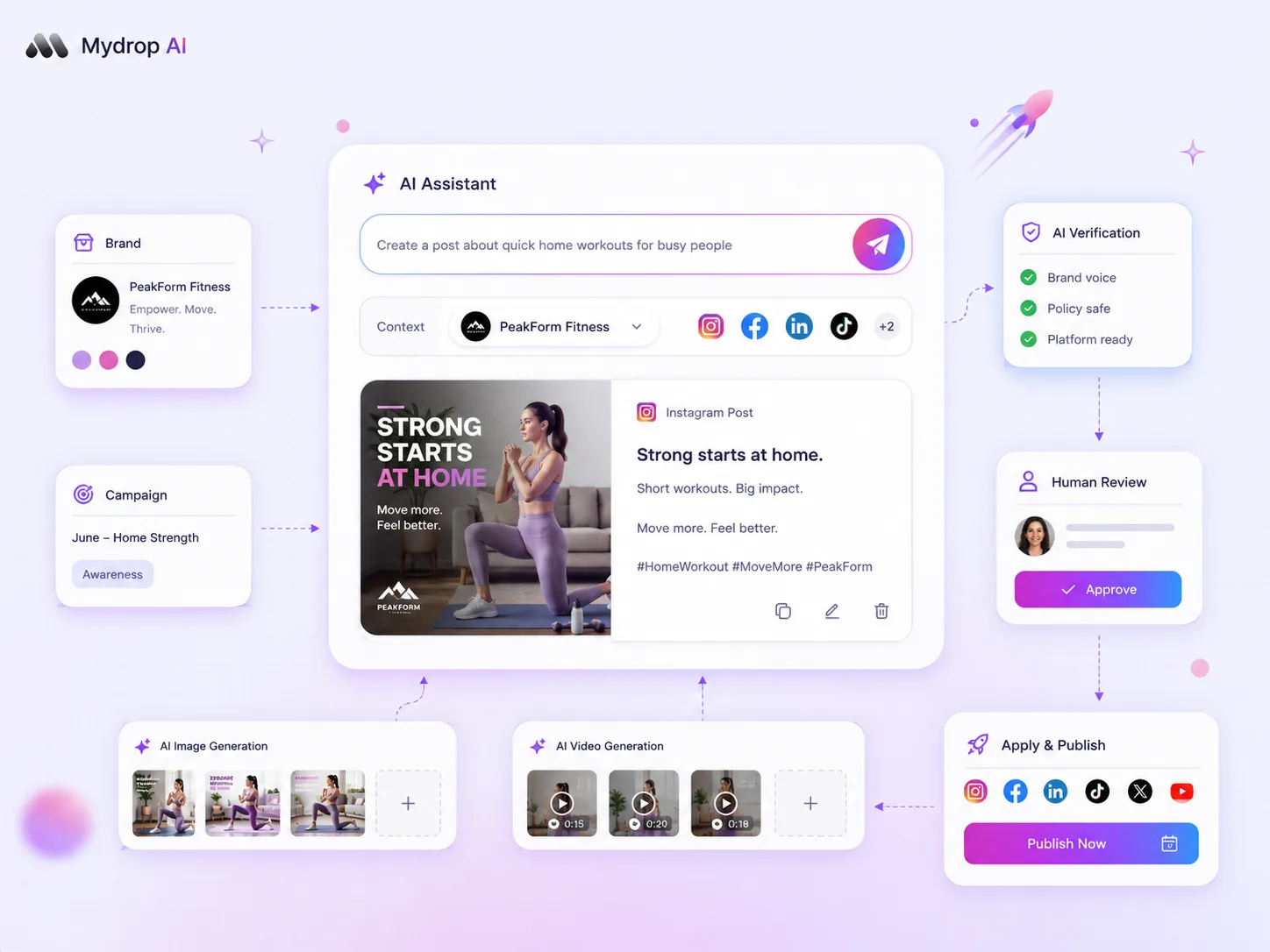
The biggest productivity trap in modern social marketing isn't lacking ideas; it's the unchecked speed of AI-generated content. If you are using AI primarily to fill your content calendar, you are missing its most potent application: diagnostic auditing. The most successful enterprise teams have stopped asking AI to just "write more" and started asking it to "check this before we ship." They treat AI not as a content engine, but as a critical QA layer that can detect mediocre, off-brand, or unresonant creative before it ever reaches an audience.
We've all been there. You are at the end of a chaotic campaign week, approvals are backed up, and the temptation to let AI fire off a final batch of captions is overwhelming. But that "easy button" is often where brand equity quietly evaporates, one generic, tone-deaf post at a time. Marketing at scale is a constant battle between hitting deadlines and maintaining brand integrity. We get it: when performance dips, it is rarely a single failure. It is usually a messy mix of misaligned creative, tone drift, and missed audience signals that turns "shipping content" into "diluting brand equity."
This article will show you how to evaluate AI tools based on their ability to diagnose and improve performance before publication.
What the best tools need to handle

The industry obsession with AI-generated text is masking a costlier problem: automated mediocrity. If your AI tool cannot audit why your posts might fail, it is merely accelerating your irrelevance.
To shift from volume-based posting to quality-focused strategy, you need tools that function as a diagnostic auditor. They must understand your brand beyond simple keyword matching. In our experience, the difference between a "content generator" and a true "QA partner" comes down to context awareness. Generic LLM wrappers fail because they operate in a vacuum-they don't know your historical performance, your specific brand visual cues, or the nuances of the audience profile attached to the draft.
Here is a diagnostic framework for how enterprise teams should be evaluating their creative assets:
| Diagnostic Category | Failure Mode | Diagnostic Indicator |
|---|---|---|
| Brand Mismatch | Tone drift | < 70% alignment with brand voice score |
| Context Deficiency | Missing asset context | Inconsistent use of core product keywords |
| Audience Disconnect | Persona misalignment | Low virality score for target demographic |
| Platform Mismatch | Poor formatting | Caption length exceeds platform engagement peak |
The best tools must handle these categories by integrating directly into your workflow, not by sitting outside it. At Mydrop, for instance, we ensure our AI helpers have access to the actual media and brand attachments you are working with. When an agency manager is drafting a beauty influencer demo, the tool isn't just generating a generic caption; it’s scoring the draft against the specific context of that product's historical performance.
If your AI tool doesn't know what makes your brand tick, it's not auditing; it's guessing. And in enterprise social media, guessing is just too expensive.
Where basic tools start to break

Most AI tools falter because they treat every request as an isolated text-generation task. They don't know that your brand has specific visual signatures or that a certain caption style failed spectacularly for your audience last quarter. They lack the connective tissue between your assets and the output.
Consider an agency managing a high-end beauty brand. They have a star influencer who consistently drives 20% higher engagement than any other creator. But when the team uses a generic AI tool to draft a demo post, the output is technically correct-good grammar, on-brand keywords-but it feels utterly generic. The engagement tanks.
Why? The tool missed the nuance. It didn't account for the specific product demo visual attached to the post, nor did it "know" that this brand's audience prefers short, punchy captions over the descriptive, flowery prose the AI generated. The tool optimized for text volume, not brand fit.
When your AI isn't auditing why your posts might fail before you hit publish, it is merely accelerating your irrelevance.
The buying criteria that matter
You need to shift your focus from "how much content can we ship" to "how well does this tool audit my brand's performance." A tool that only generates text is a liability; a tool that diagnoses performance gaps is an asset.
Here is a simple framework to help your team vet potential tools:
Content Quality Diagnostic Matrix
| Criterion | Generic AI Generator | Brand-Aware Auditor |
|---|---|---|
| Brand Context | None; treats every prompt as new. | Remembers past brand guidelines & voice. |
| Visual Awareness | None; ignores media/files. | Analyzes attached assets for brand fit. |
| Historical Performance | Zero insight into past failures/wins. | Scores drafts against historical data. |
| Workflow Integration | Manual copy-paste from another tab. | In-composer diagnostics before you ship. |
| Core Purpose | Volume production. | Quality assurance & performance optimization. |
When evaluating your options, prioritize these three non-negotiables:
- Brand-Memory Integration: Does the tool actually "know" your previous wins and losses? If you cannot feed it your brand guidelines, past engagement data, and target persona profiles as context, it is not helping your brand.
- Virality Scoring: Look for a tool that scores a draft before you hit publish, providing actionable feedback based on platform-specific signals. You want a tool that flags potential tone drift or formatting mismatches instantly.
- Media-Contextual Analysis: If you can't attach a video or image and have the AI analyze it alongside the caption, you’re flying blind. The tool must understand that a product-focused video requires a different caption strategy than a lifestyle shot.
Operator rule: Never let AI draft a post without first scoring it against your brand’s historical performance and current context.
At Mydrop, we have seen that the most successful teams are the ones that stop viewing AI as a "content machine" and start viewing it as a "QA consultant." They use AI to score their drafts, validate their messaging against brand files, and identify potential audience disconnects before the post even enters an approval queue.
When you have a tool that understands your brand's unique operating DNA, the "volume versus quality" struggle disappears. You aren't just shipping more; you're shipping smarter, every single time.
How Mydrop supports this workflow
We know the feeling of shipping a post and realizing too late that it missed the mark on tone. Or worse, the legal reviewer gets buried in requests at 6 p.m. because the creative wasn't vetted against brand guidelines in the first place. At Mydrop, we built the Composer AI panel not just to make you faster, but to make you sharper.
Instead of treating AI like an automated writer that lives in a vacuum, Mydrop treats it like a QA partner. When you open the AI panel in the composer, you are not just getting text suggestions. You are interacting with a model that can access your brand context, media attachments, and historical performance.
When you feed media attachments into the Mydrop AI context, you are not just adding files. You are giving the model a memory of your brand assets. This is where the shift happens. You can ask for a virality score, and the system looks at the draft post alongside those attachments and your brand context. It flags if the caption feels inconsistent with your past successful posts or if it violates simple brand constraints you have already saved.
Decision check: Never let the AI draft in a vacuum. Always anchor it to a specific profile, an existing brand asset, or a historical performance marker.
This is how we help you pivot from volume-based posting to quality-focused strategy. You aren't just shipping content; you are shipping brand assets that have been audited against your team’s own intelligence.
A simple shortlist checklist
When you are vetting tools to help you manage this kind of brand-aware auditing, ignore the hype about "human-sounding" text. Every tool does that now. Focus on the tools that prove they can be audited, corrected, and constrained.
Use this checklist before you sign the contract. If they cannot answer yes to these four items, you are just buying another text generator, not a diagnostic partner.
| Capability | What to look for | Why it matters |
|---|---|---|
| Brand Memory | Can it store brand-specific voice constraints and past performance? | Stops tone drift before it starts. |
| Media Context | Does it analyze attached images/videos during drafting? | Ensures the caption actually matches the visual asset. |
| Virality Scoring | Does it offer actionable feedback on why a score is low? | Moves from "guesswork" to "data-backed creative." |
| Permissioning | Can you restrict which users can invoke broad workspace AI context? | Protects your governance and compliance. |
If you are currently debugging a string of poor-performing posts, try this simple audit framework. Map your last five underperforming posts to these categories to identify where your current process is breaking down.
- Creative Mismatch: Did the caption ignore the specific visual cues in the attached image?
- Context Deficiency: Did the AI have access to your brand's historical winning captions?
- Audience Disconnect: Was the post drafted for the right target persona?
- Platform Failure: Did the caption structure fail the specific format requirements for that platform?
Conclusion
The biggest productivity trap in modern social marketing isn't lacking ideas. It is the unchecked speed of AI-generated content. If your AI isn't auditing why your posts might fail before you hit publish, it is merely accelerating your irrelevance.
Most teams do not have a content problem. They have a decision bottleneck.
Stop using your tools to create noise, and start using them to filter it. The best marketing teams we work with are the ones that treat their AI as a guardrail rather than an autopilot. They set up the brand-aware context once, they define their virality standards, and then they let the tool do the heavy lifting of auditing their creative output against those rules.
When you can automate the audit, you finally free up your best strategists to do what they do best: tell stories that actually matter to your audience, rather than just filling a slot in a calendar. Take a look at your current workflow this week. Identify one part of your creation process that relies on a manual gut check, and see if a bit more brand context could automate that decision for you. You might find you spend a lot less time chasing approvals and a lot more time shipping work that you are actually proud to see live.

 Google review
 Trustpilot review
 Product Hunt comment




